
Luminar Neo turns the focus on beautiful bokeh
Looking to take your garden and wildlife images, even your family portraits to new heights but don’t want to buy expensive equipment? This post is for.
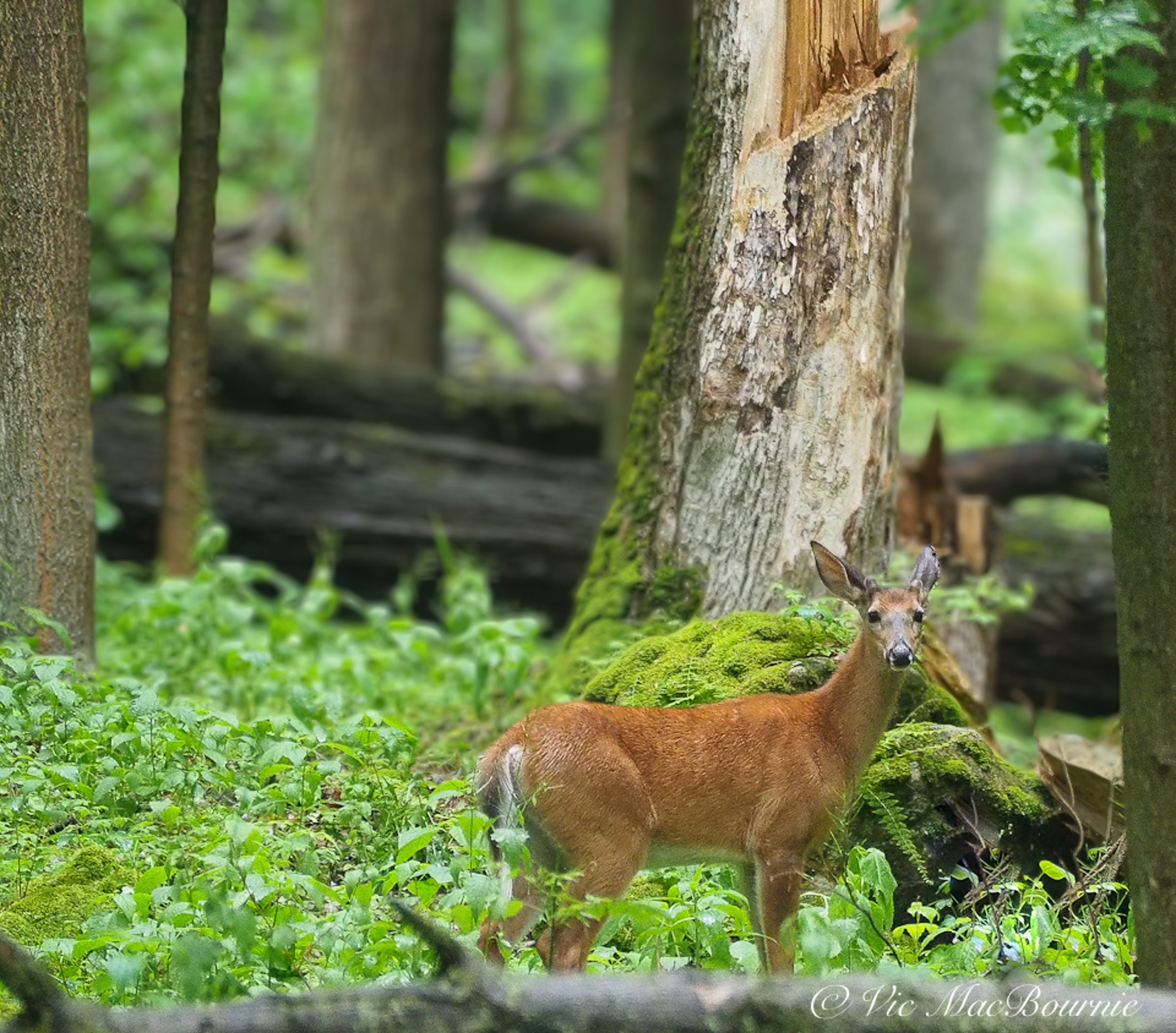
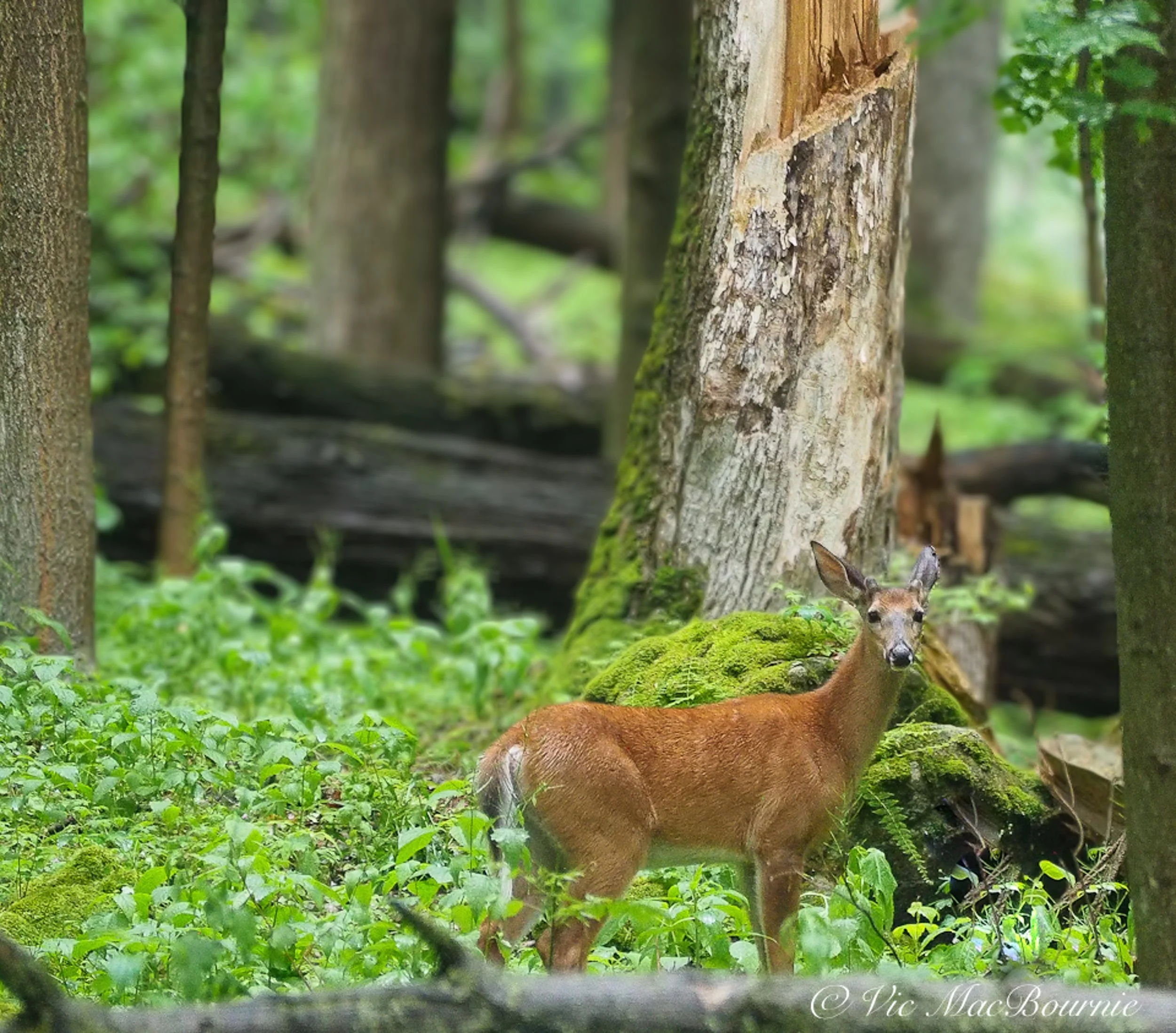
This image of a doe in the woodland was always a nice image, but by softening the background, I was able to draw attention to the deer. By creating a narrow band of focus, the viewers eye is drawn to the deer. A relatively inexpensive Olympus 100-300mm lens was used to capture the image but the narrow depth of field suggests a very fast and expensive f2.8 lens was used.
Celebrate spring with these outstanding new features from Luminar Neo
The difference between a very expensive lens and the inexpensive consumer version often comes down to which lens can render a softer, more pleasing out-of-focus background.
Fast, expensive lenses deliver on both sharpness when it comes to the subject as well as the ability to soften the background translating into what most photographers describe as beautiful bokeh.
Those smart phone images that have become so common on social media often lack any real bokeh. Instead, everything is sharp from front to back. The same can be true for most point-and-shoot camera results. That can work in many cases, but if you have always wondered why more experienced photographers’ images always have a beautiful look to them, chances are the bokeh of their lenses plays a significant role.
(If you are interested in checking out or purchasing Luminar Neo, please consider using my discount code here.)
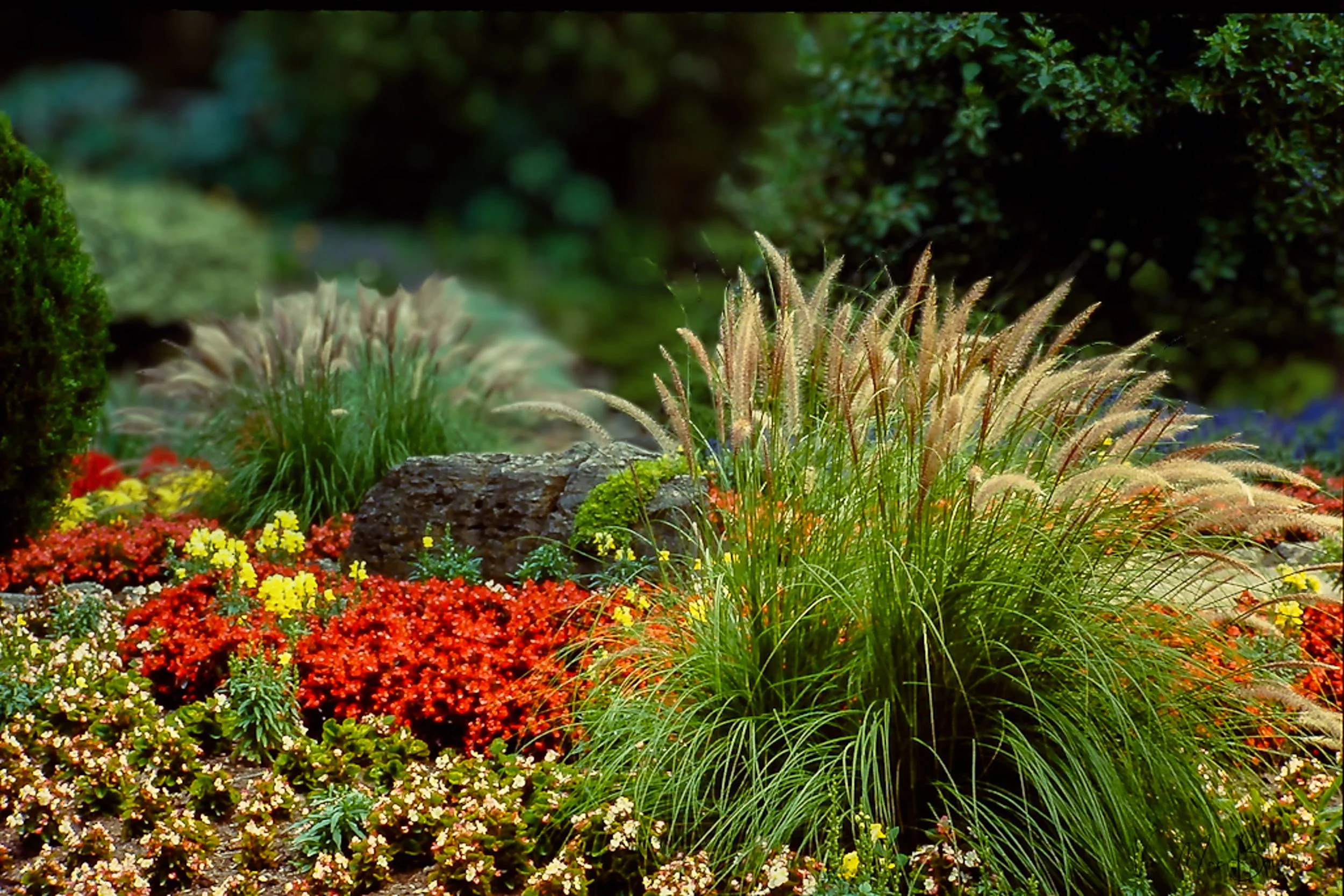
In this image both the “Bokeh” module and the “Light depth” module were combined to create depth both with a soft out-of-focus background as well as warm lighting focussed on the main ornamental grasses in the front.
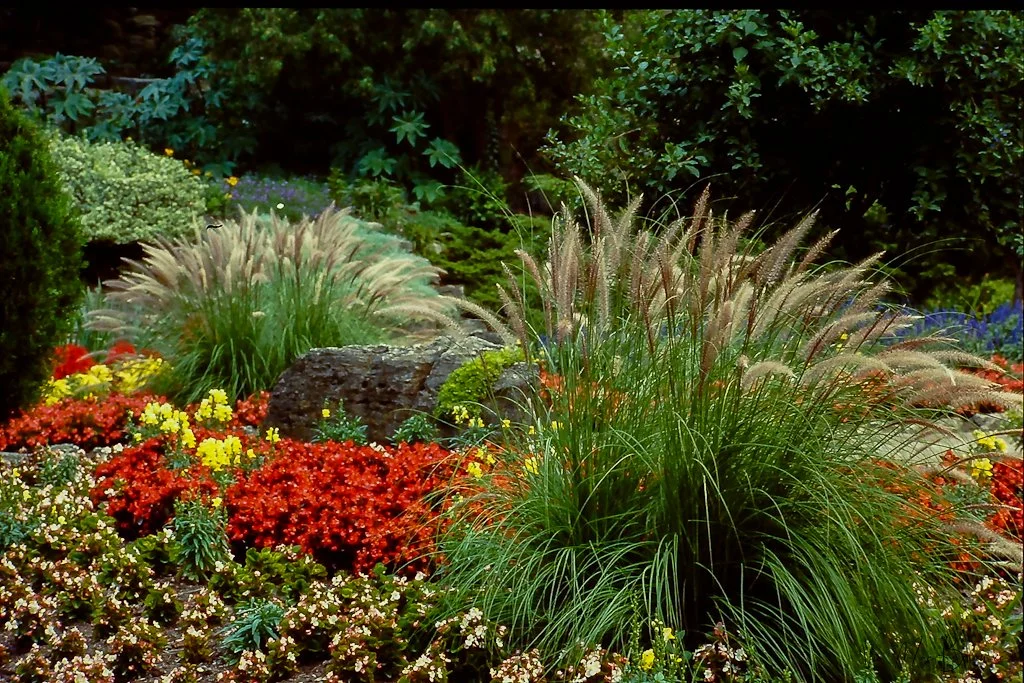
In this “before” image you can clearly see how the background is sharp and a little distracting. In addition, the foreground grasses lighting is rather dull compared to the grasses in the above image that were warmed and lightened in the light depth module in Luminar Neo.
In the past, not having access to fast and often expensive lenses, means those beautiful, soft-background images were unattainable.
Luminar Neo’s new spring feature package has changed all this.
From portraits to landscapes, beautiful bokeh can change everything
Now, Luminar Neo can turn your smartphone and inexpensive kit-zoom photos into images with a beautifully soft creamy bokeh. Even better, you have complete control over the bokeh effect in your images.
Originally released as part of its “Portrait tools”, Luminar Neo’s Bokeh module fits just as easily in a nature, wildlife and flower photographer’s tool box.
I remember when Lightroom first introduced a similar feature and it changed the way I saw many of my older photographs. I spent weeks going back over images with distracting backgrounds and seeing how the software could improve the images by softening the background.
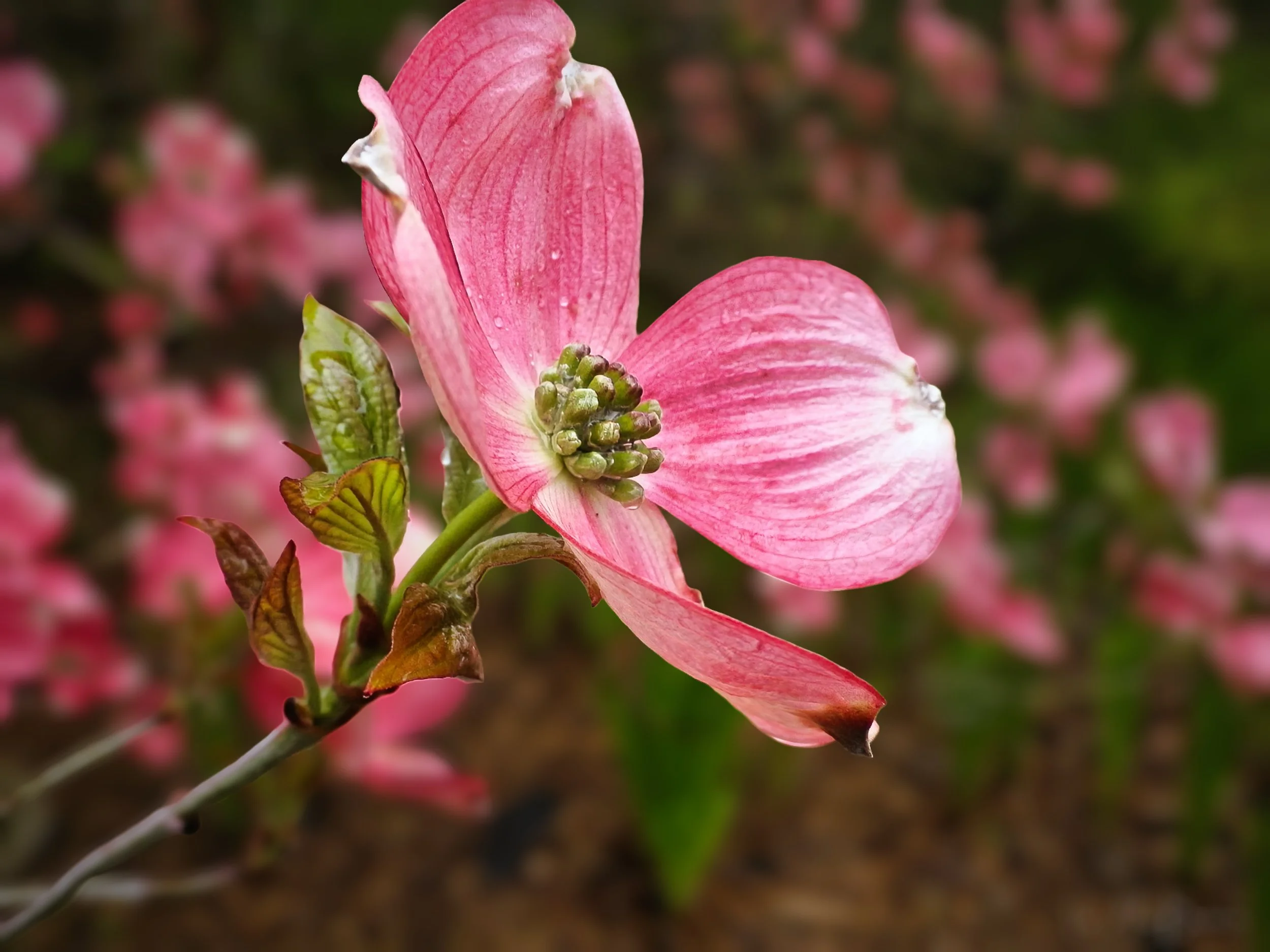
The lovely dogwood bract stands out nicely from the softened background with the help of Luminar Neo’s Bokeh tool. The tool allows subtle changes if just a little is all you need.
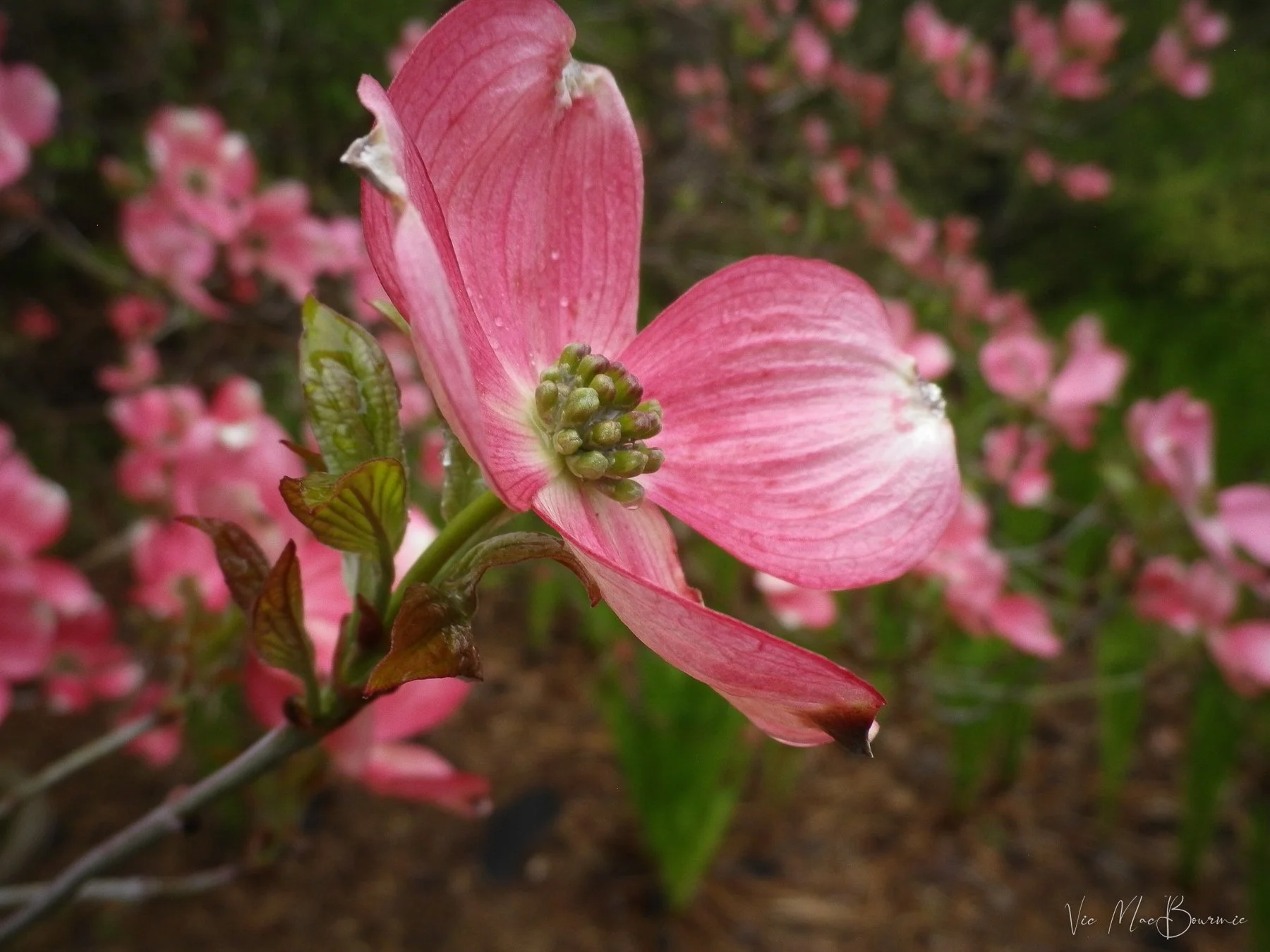
The original image, while still lovely, is improved with warm light and a softer background. Sliders built in to the Luminar Neo tools give the photographer complete control how soft they want the background to look. Improved masking capabilities creates smoother transitions to keep the image from looking over processed.
Now I can do the same in Luminar Neo for a fraction of the price. And, I have to say that Luminar Neo’s new bokeh module is better and works in the same three-dimensional way as Luminar Neo’s outstanding Light Depth module works.
The bokeh module and the light depth module combination can literally transform your photography from boring to spectacular without the purchase of expensive cameras and lenses.
If you have not read my post on Luminar Neo’s light depth module, you can check it out here.
I think the following before-and-after pictures best tell the story.
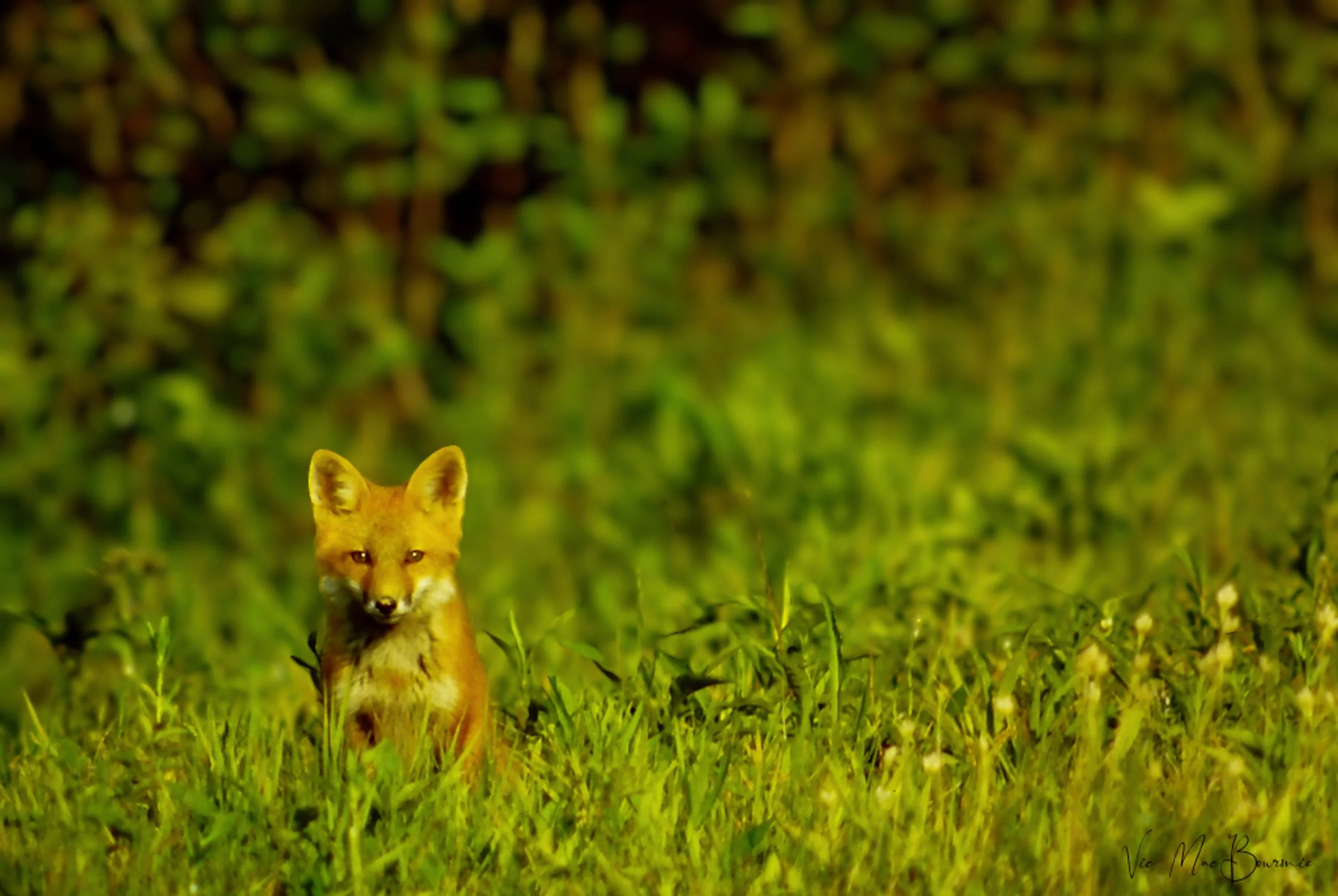
Softening the background helped this young fox stand out from distracting foliage seen in the before image below.
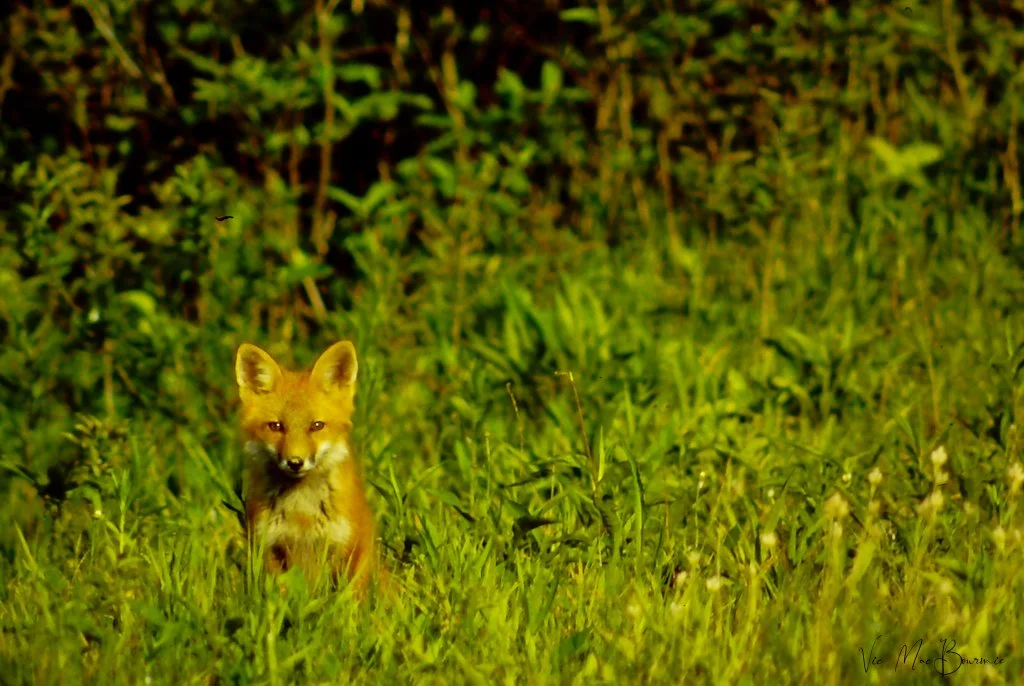
The background is quite distracting in this image and gives the overall image the look of more of a snapshot. Softening the background (see image above) improves the image and helps focus the viewer on the main subject.
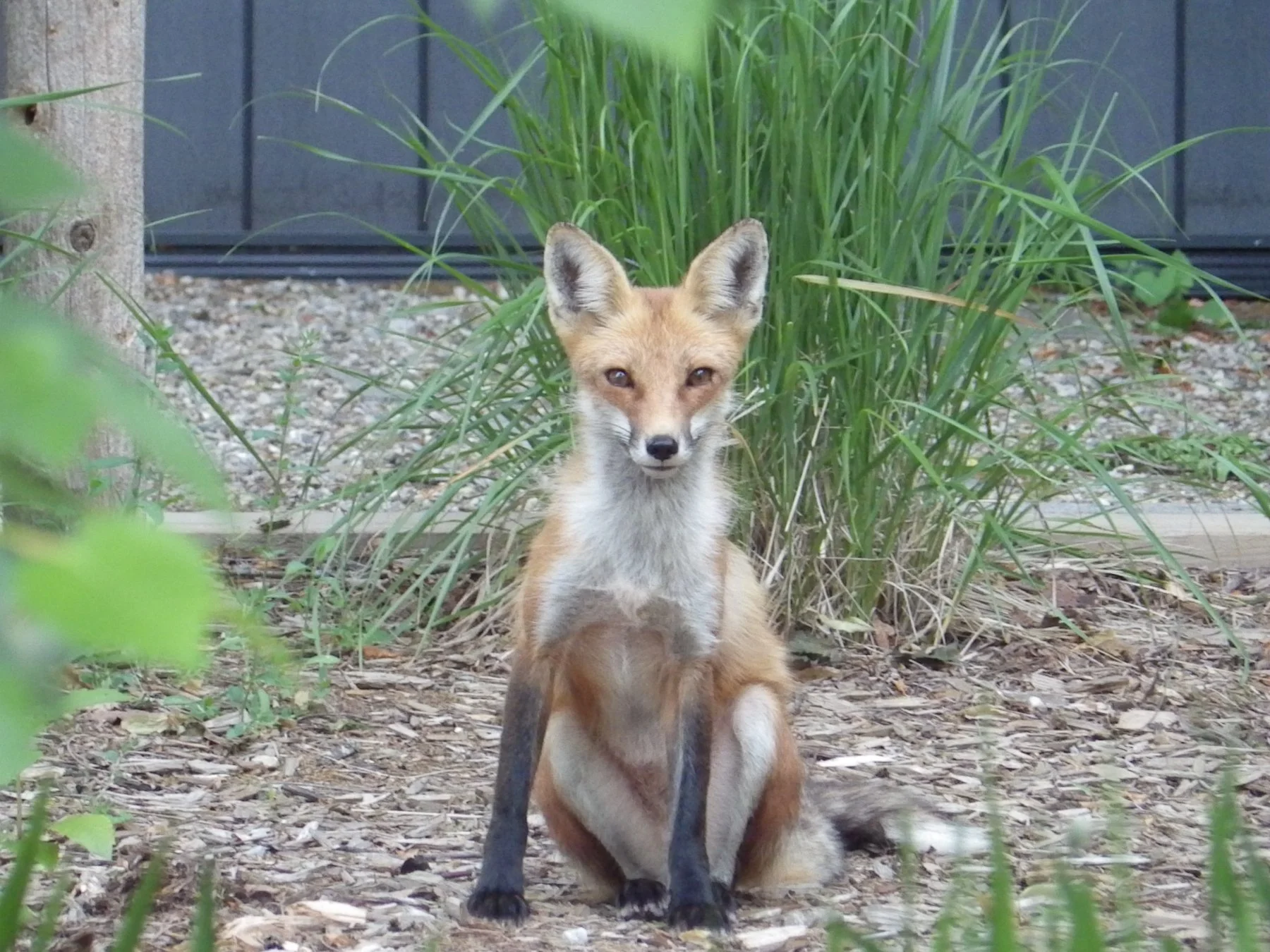
This young fox was a regular in our woodland/wildlife garden for a period of time. This before picture represents a good documentary photo of the little guy but includes many distracting elements and the lighting is a little bland. Luminar Neo’s powerful post processing tools offer significant improvements to the original image. In the image below, a softer background and warmer, direct light on the fox improves the image immensely, in my opinion.
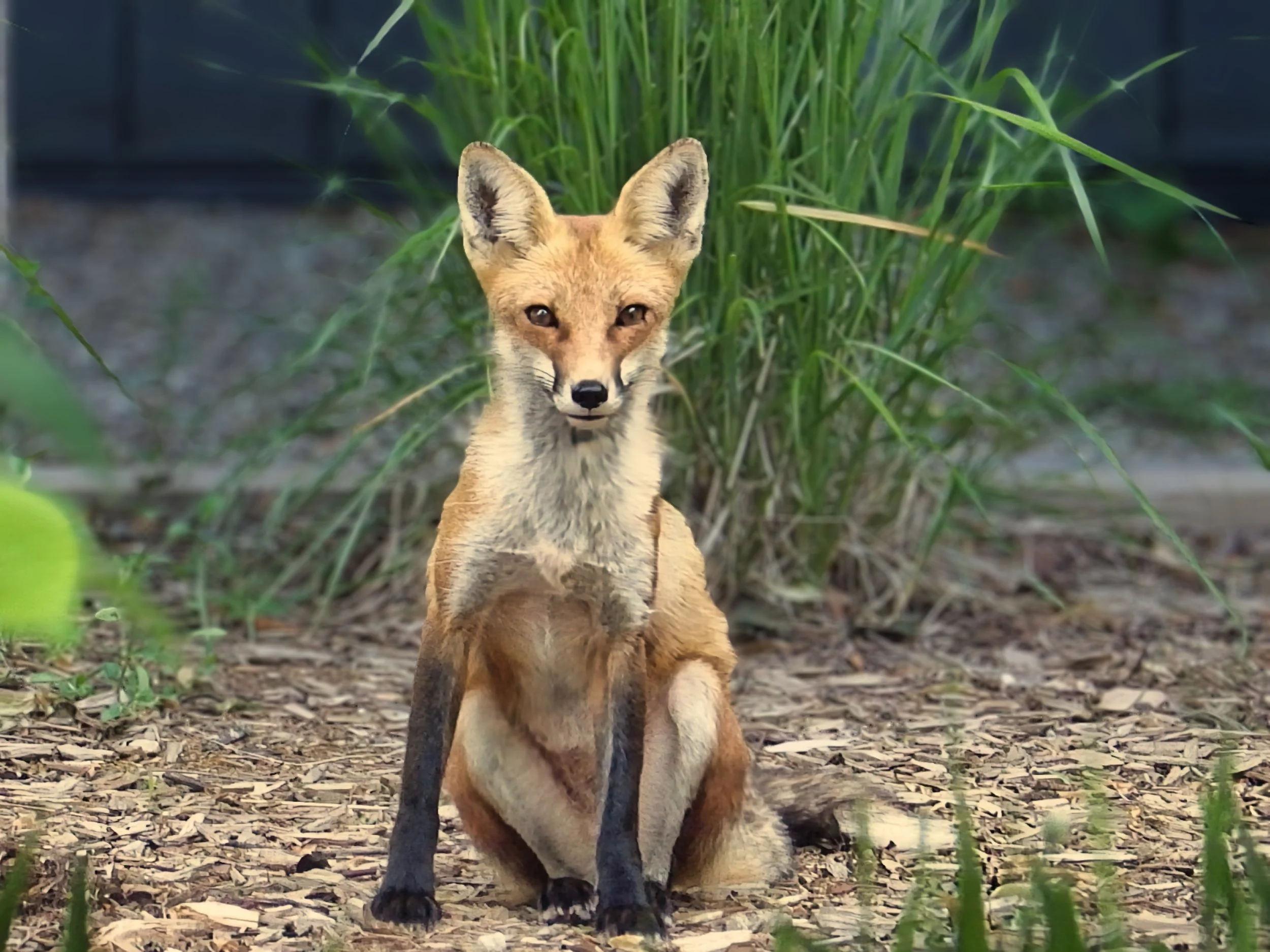
The image after post processing with Luminar Neo’s light and bokeh modules. Notice the out-of-focus background as well as the warmer light on the fox.

This After picture of blue jays at the feeder is improved by softening the background bokeh helping the birds stand out better from the background. (see image below)

Although the differences in the two images may not seem obvious, the background in the image above creates a much more pleasing image and one that looks like it was photographed with a much longer and much more expensive (faster) lens.
The above images illustrate how Luminar Neo’s new bokeh module can improve nature images by creating much more pleasing backgrounds that allow the main subjects to stand out. These are important features in nature, flower and wildlife images, but they are also critical in other forms of photography from street photographs to travel and especially portrait images.
In fact, Luminar Neo chose to locate their bokeh module in their portrait tools where they thought it would be most useful. So, for those looking to improve their people pictures – whether that is professional work or just shots of your kids or family on vacation – Luminar Neos new bokeh module is certainly worth further investigation.
For people shooters (not my specialty) Luminar Neo has actually unveiled many new interesting modules to enhance your portraits.
Earlier this month Luminar Neo rolled out its new upgrade focused on portrait photography on both desktop and mobile. The mobile update inclues the Bokeh AI module discussed above along with new Face AI features such as Face Light and Face Slim. In addition, Blemish Removal has been significantly enhanced.
Desktop updates include Bokeh AI discussed above for nature and garden images, In addition, with Face AI users can control Dark Circles under eyes with an improved tool that is simple to use, as well as expanded capabilities for Face Skin smoothing, Body Smoothing and Shine Removal and a brand new Blemish Removal tool.
The is also a new Mask Feather feature that softens mask edges for smoother blending.
If you are interested in purchasing Luminar Neo (which offers a one-time purchase model rather than paying monthly) please consider using my discount code here.



Luminar Neo’s AI module shines as an educational assistant
Luminar Neo chooses to us Ai as a learning tool to help beginner photographers.
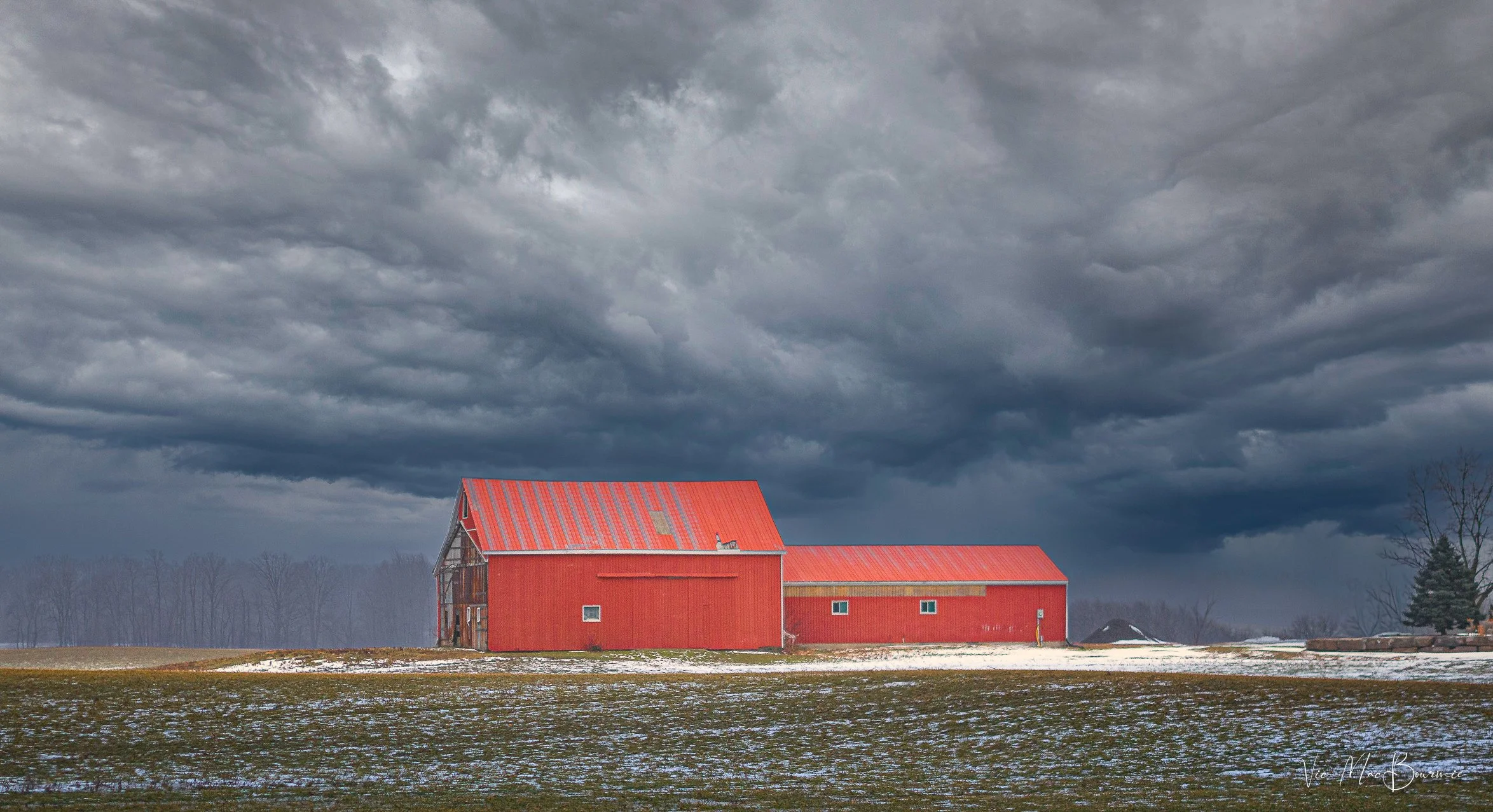
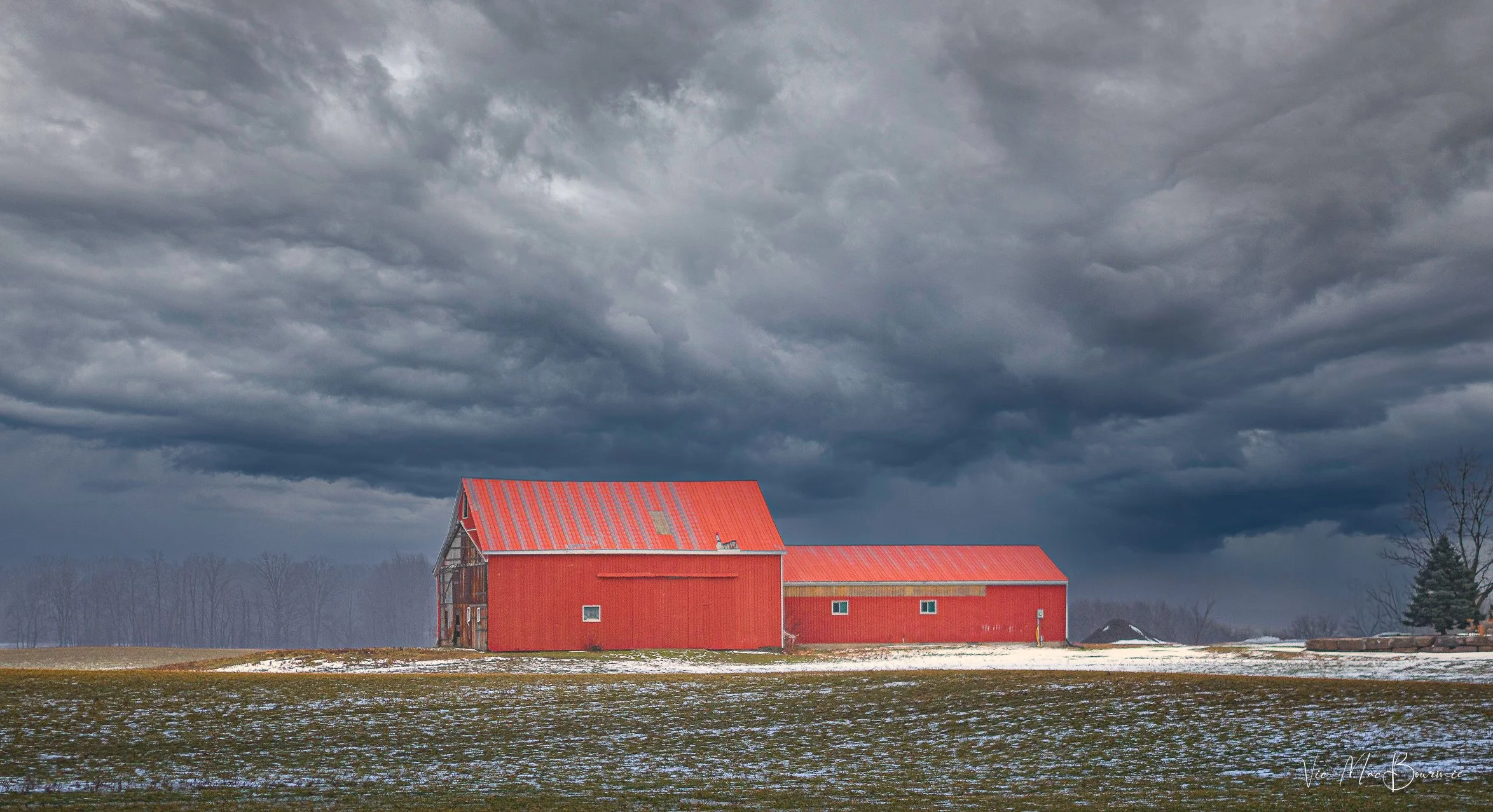
This image of red barns lit up dramatically against a stormy sky was created with a number of post processing modules. It’s important to note that the above image was NOT made with Luminar Neo’s new Ai module. In fact, an attempt to replicate it with the AI module proved fruitless. However, it’s equally important to know that the educational resources Luminar Neo’s new AI tool provides photographers – especially beginners – will help give them the knowledge they need to transform their images and create images like the one above from the original pictured below. The creators of Luminar Neo’s AI assistant believe that It is more valuable to know how to properly edit and create images than expect the computer to do all the work.
Using Ai as a learning tool
Whatever you think of Ai, there’s no denying that it is here to stay. The question many are asking is: Will AI be used for good, or for evil?
The answer to that question is still being written. Luminar Neo, however – unlike many other photo processing programs – is putting its support on the side of good.
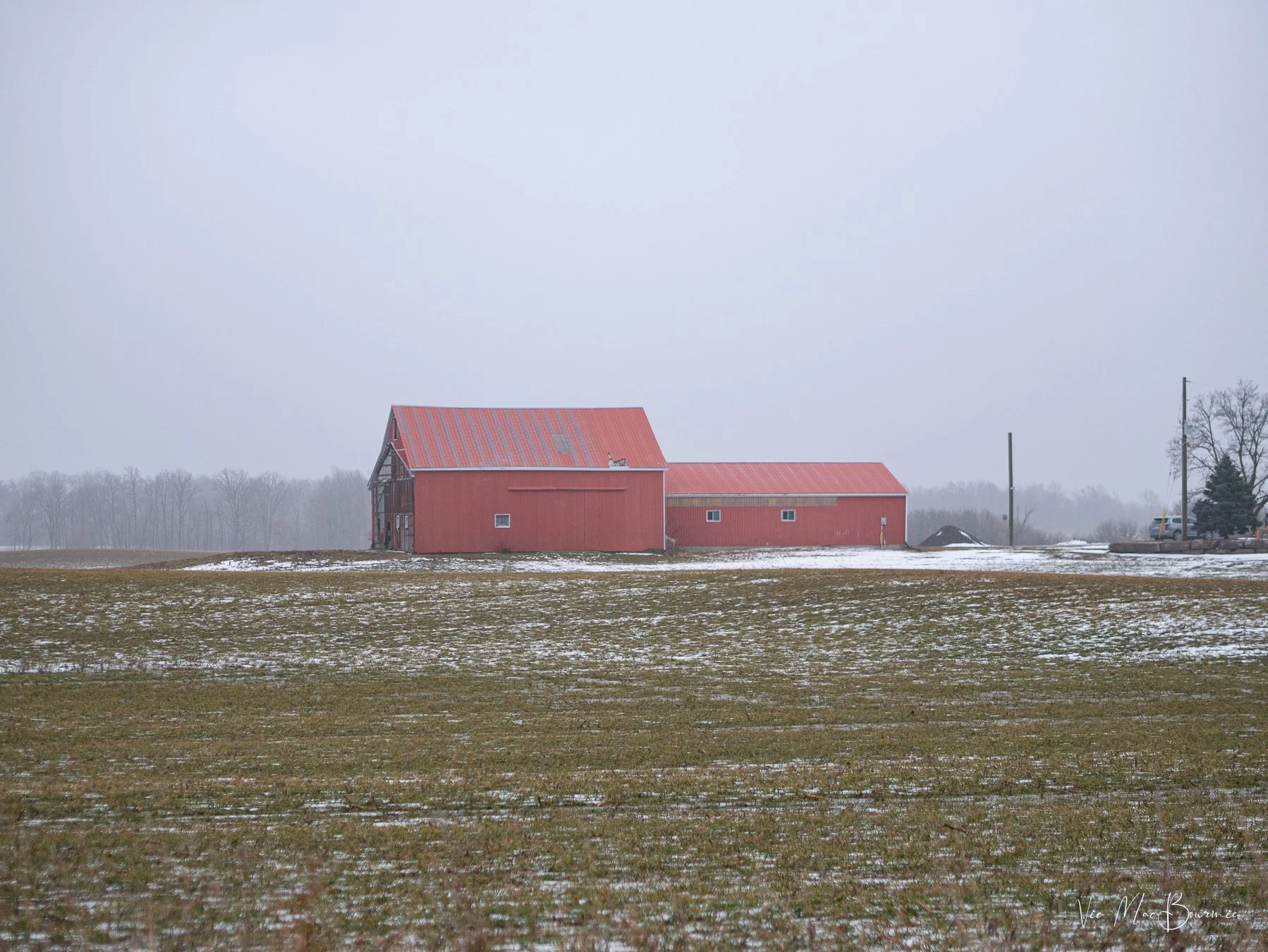
The original image straight out of camera shows distracting elements, a bland sky and uninteresting lighting.
To be more precise, Luminar Neo is tapping into the power of AI to use it as more of an educational and learning tool, than one to dramatically manipulate images.
At least that is my initial impression after putting it to the test with a number of my images. The focus seems to be at least as much about education as it is about transforming images.
Understanding the capabilities of modern photo editing programs and techniques has never been more important.
After all, getting the most out of our images, whether they are from our latest vacation, pictures of our kids, grandchildren or flowers in our garden, is the goal for most of us.
The before and after pictures of the red barns are examples of how, with a little knowledge, we can transform boring images into dramatic ones simply by understanding a little about post processing techniques.
So how does Luminar Neo’s AI assistant help us achieve similar results?
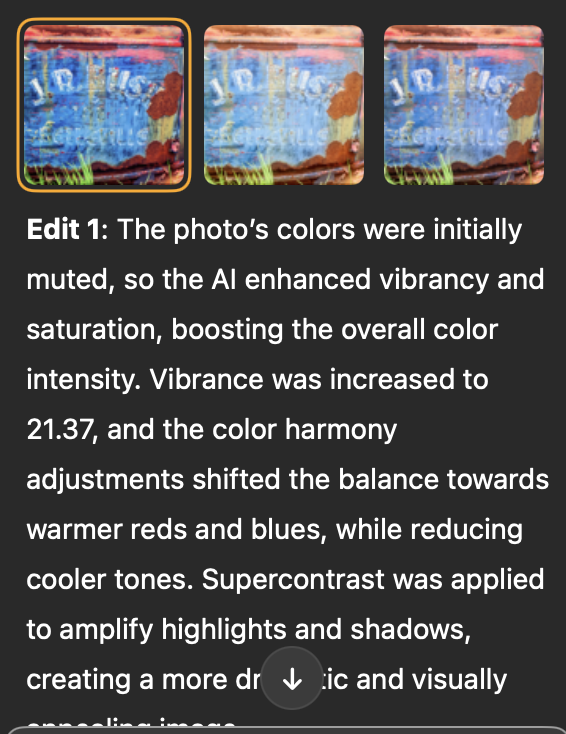
The image below shows one of three suggested edits from the Luminar Neo AI assistant module. The image is much better than the original, but falls short in comparison to the full edited version at the top of the page.
Over time, however, we the AI assistant teaches us how to achieve desired results by explaining what tools were used and making suggestions on how the image can be improved.
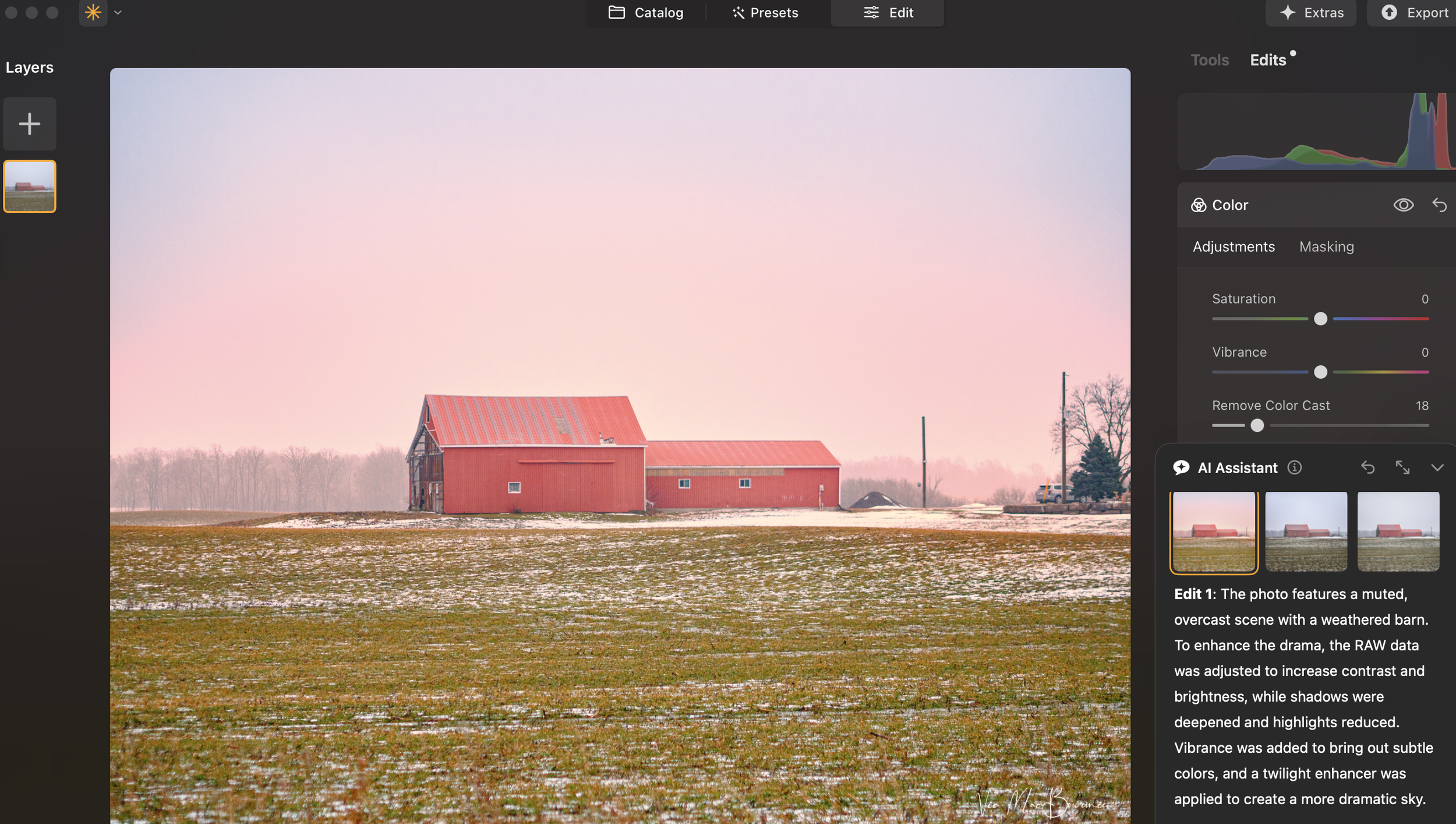
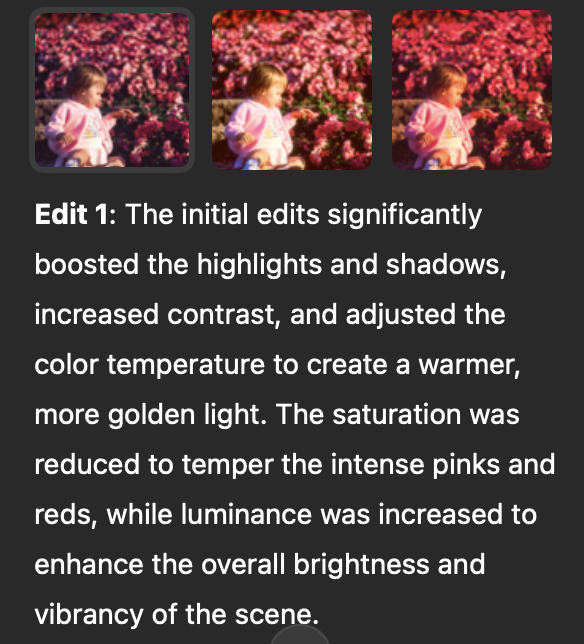
The above image is one of three suggestions Luminar Neo’s AI assistant suggested. You can see the suggestions and a detailed analysis of the above image in the Edit 1 description. You can also see that the suggested improvements are still rather subtle compared to the top image. Similar analysis are provided for Edit 2 and Edit 3.
How it works
Luminar Neo’s AI Assistant is available in both the Presets and Edit tabs and users can simply input text prompts to get AI Assistant’s editing suggestions.
There are two types of prompts.
Action prompts, like “Enhance this photo,” provide tailored recommendations with three adjustment sets and live previews, while How-to prompts, like “How do I remove this object?,” offer step-by-step guidance and buttons to quickly find the right tools in Luminar Neo.
It’s like having a personal editing advisor at your fingertips, helping you explore creative possibilities and discover the best tools and workflow for every image. You can use text commands in all Luminar Neo languages.
Back to our discussion about using AI in our work flow.
Knowledge about the tools available helped me create the top image. The original image’s sky was replaced and dramatic lighting was added in Luminar Neo’s Light Depth module.
“For the beginning photographer who has not yet perfected the art of post processing, this AI module is a tool that promises to transform their images over time and equip them with the knowledge they need to “make” outstanding images.”
In the past, we took pictures, today we make images
In photography, we often talk about “making” images rather than simply taking them. In the past, that most often was referring to “making” images in-camera during the analogue era of photography. Making images today with modern post processing can be taken a step further to include anything from minor enhancements to the photograph and removing distractions, to completely changing the image by adding elements not in the original image.
I’m not here to debate the validity of the different “levels” of enhancement, except to say that every photographer has to define the line they are not willing to cross. If you take a photojournalist approach to your photography, only minor enhancements are appropriate. If, however, photography is more a creative outlet for you, the same restrictions would not apply.
Important note: If you are looking to dramatically transform your images using ai, chances are you are not going to find those capabilities in this version of Luminar Neo’s AI module.
What you will find, however, is the ability to make positive, yet more subtle, changes to your images, while at the same time getting a thorough education on, not only what the program is doing to the image, but how the photographer can take control of the post processing and add their own creative effects using Luminar Neo’s wide range of creative modules.
For the beginning photographer who has not yet perfected the art of post processing, this Ai module is a tool that promises to transform their images over time and equip them with the knowledge they need to “make” outstanding images.
It might be the best use of Ai in any photographic post processing program. Understanding how to use post processing tools is much more important than just telling your computer to do the work. Luminar Neo does exactly that by adding three informative text-based explanations of changes it suggests for the particular image.
How to choose
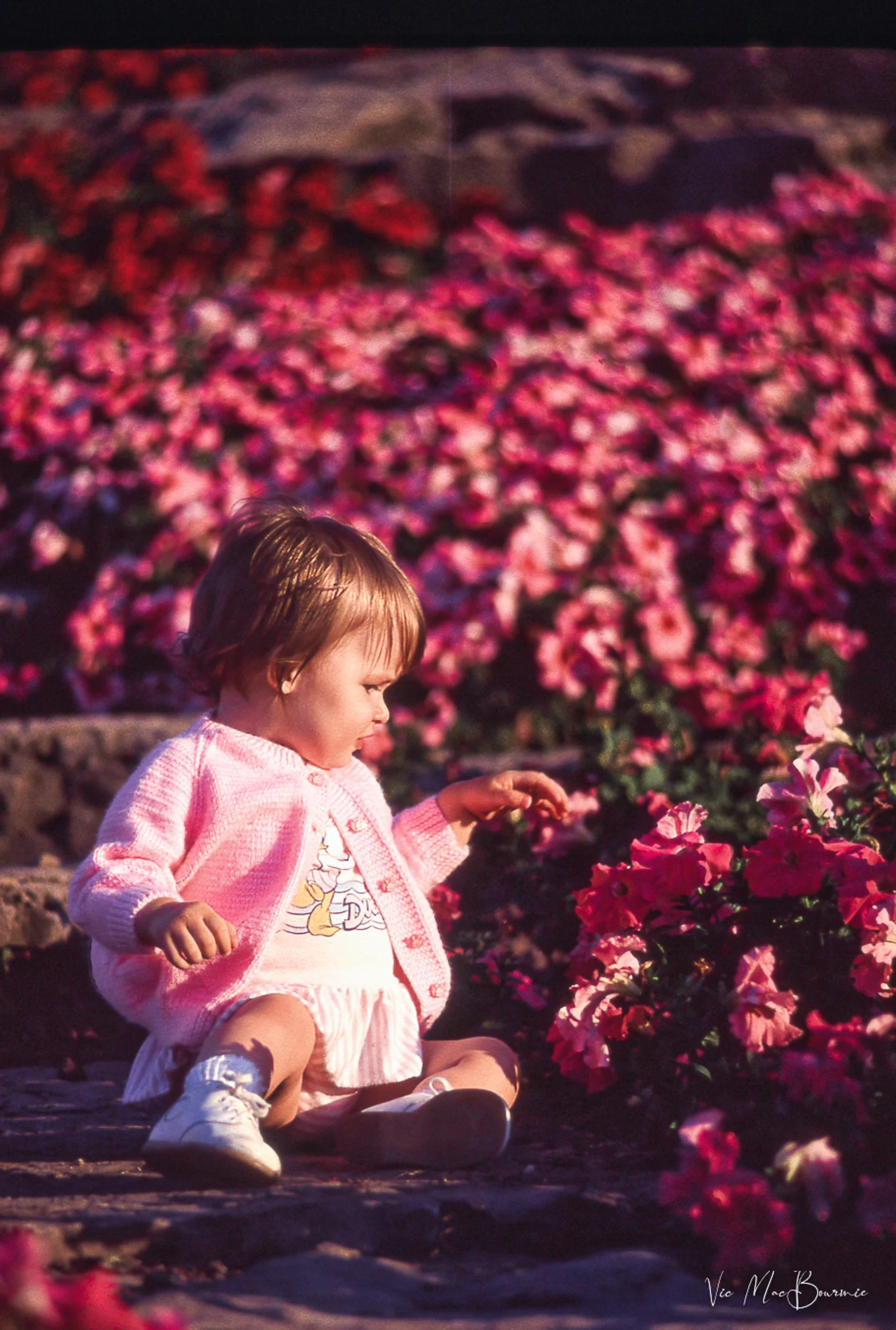
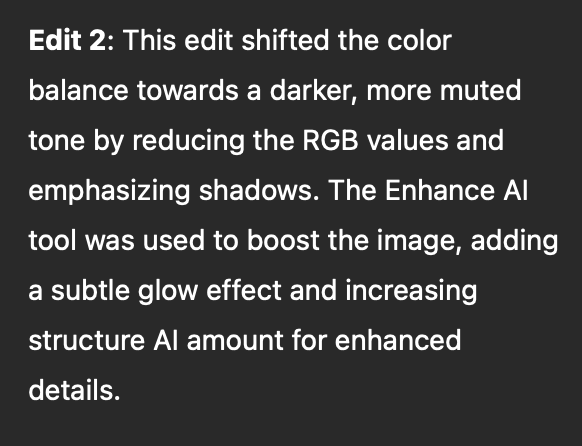
This image is the result of rather subtle changes made in Luminar Neo’s new ai module. See edit 2 for the list of enhancements added to the image by the ai module.
A good illustration is this image of a baby picking flowers at a local garden.
Once the Ai module is opened in Luminar Neo, the photographer is faced with two questions: 1) Typing in a command to enhance the image; or, asking the ai module how to use the tools available in Luminar Neo to make changes to the photograph.
The first suggested prompt is a simple one and a good starting point: “Enhance this image.”
If you choose this prompt, the program goes into action generating three different suggestions to enhance the image.
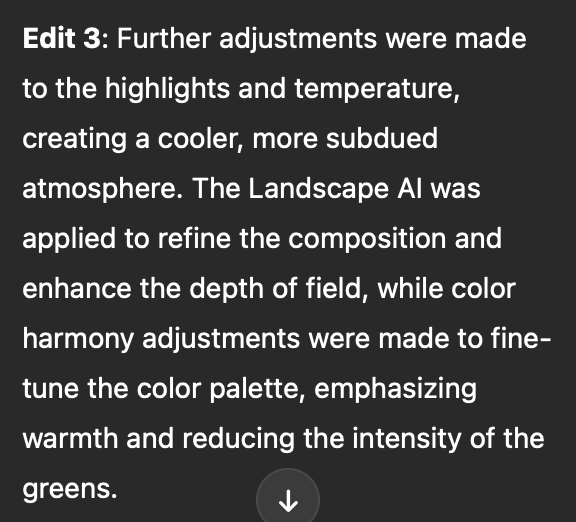
For this image the suggestions range from boosting the highlights and shadows and adding more golden light, to increasing depth of field and making colour harmony adjustments.
By explaining the enhancements, the beginner photographer gets an understanding of what is being done to improve the image and can take that knowledge to use with their other images.

Here the ai program responds to my request on how to get the best skin tones on the baby.
Other simple commands that are available to users include changing the photograph to a B&W image.
More important are commands to teach the user how to change the image. Questions such as: how do I remove distracting elements in the image, or how do I improve the skin tones in the image?
The result is a list of suggestions the program makes to guide the user to the appropriate modules to make the changes themselves. The result, a better understanding of the capabilities of the program and how to use it to make the images you originally envisioned.

Here is an original image of a rusty car before asking Luminar Neo to enhance the photograph. Below is the result after asking Luminar Neo’s AI to enhance the image.

The enhanced version of the rusting car and the explanation (below) of what was done to the photograph.
Luminar Neo is continually improving their Ai features and will certainly further refine many of the features in their recently released AI module.
Meanwhile, beginner photographers have a built-in assistant to help them learn the intricacies of the program and expand their post processing knowledge with the end goal of creating images anyone would be proud to share with friends and family.
If you are interested in further exploring Luminar Neo and its features, please use my link here.
Luminar Neo and Lensbaby combine for the ultimate in creativity
Adding a creative touch with Luminar Neo and Lensbaby lenses.
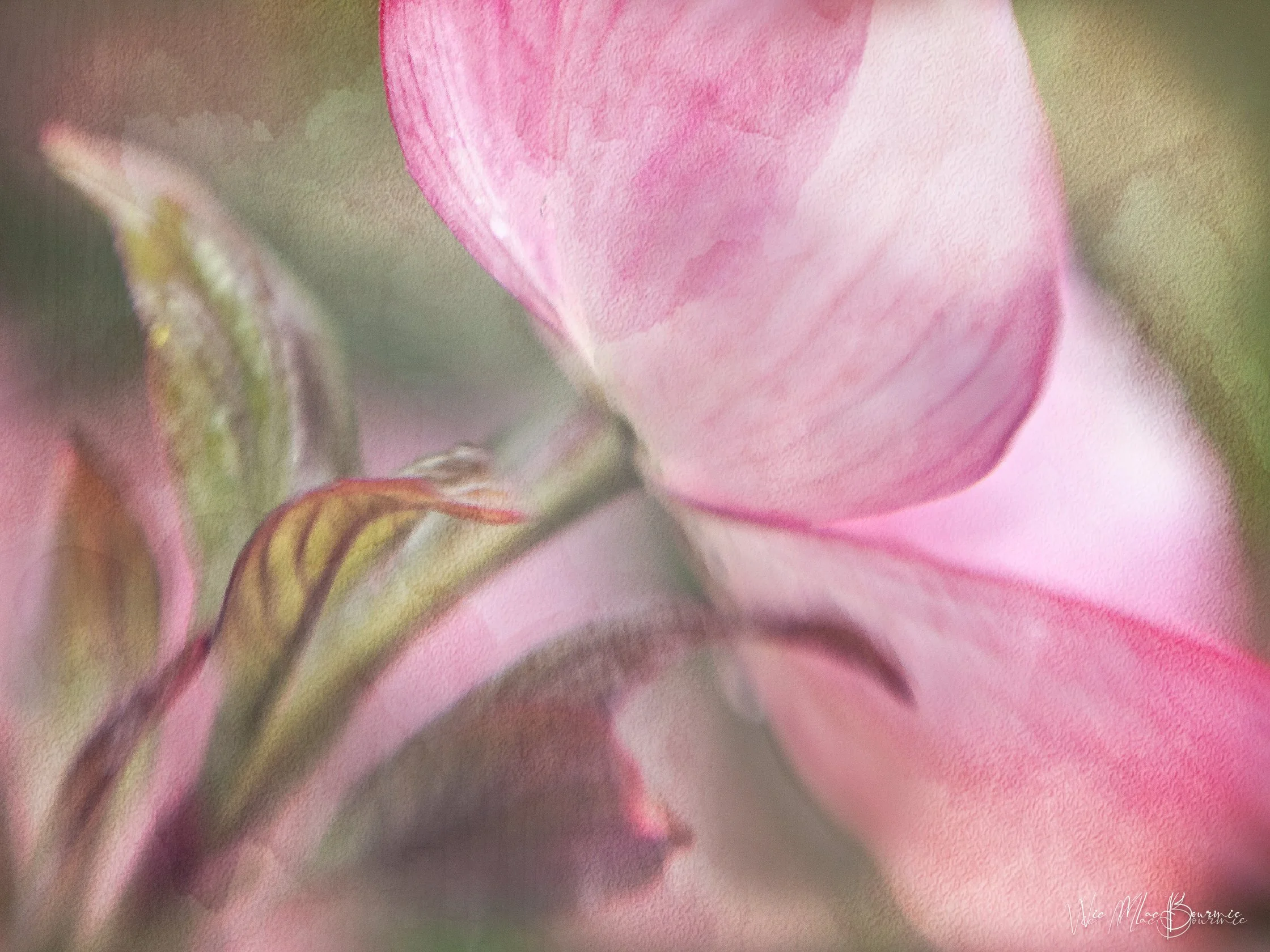
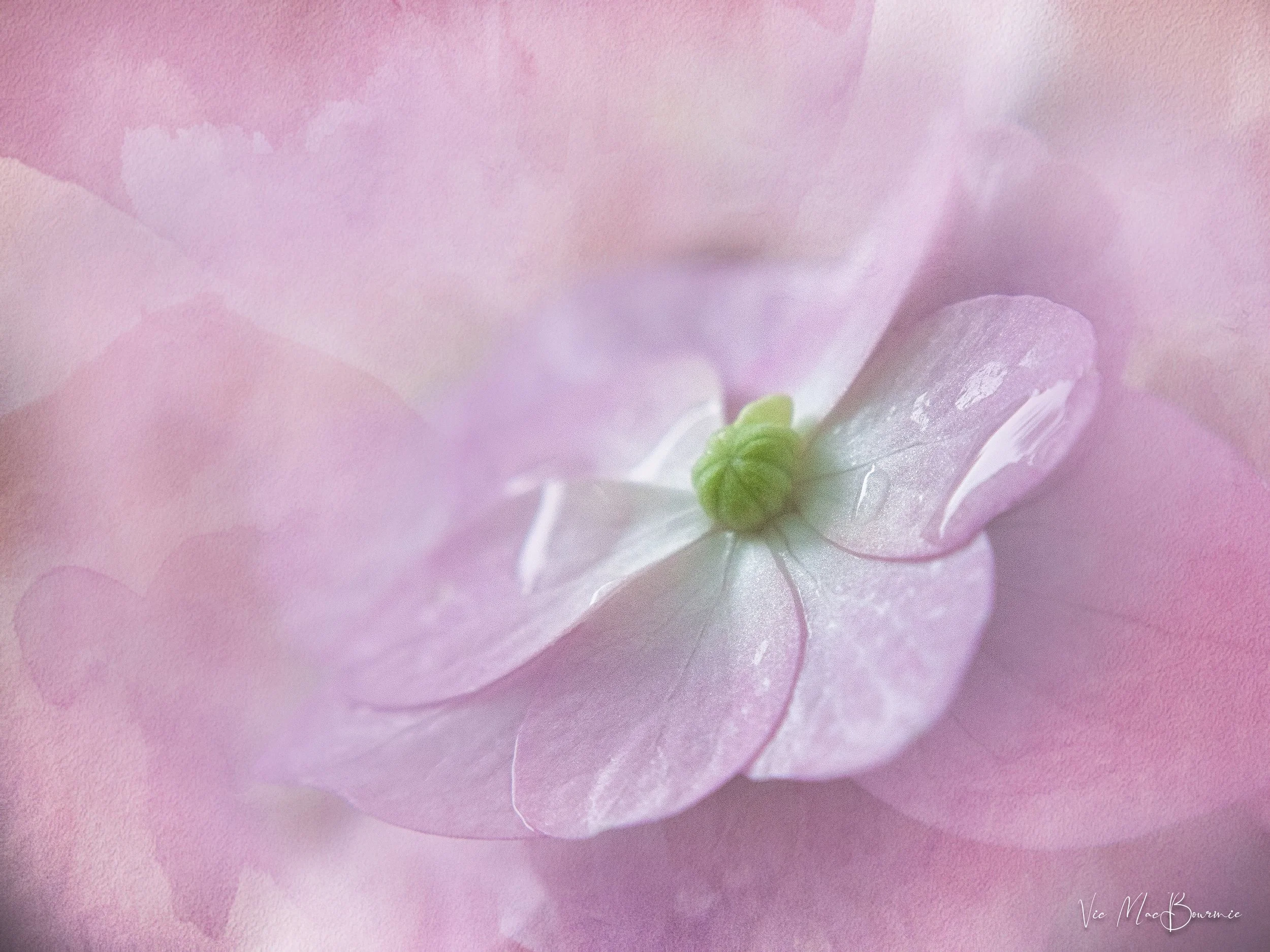
Our spring dogwood proved to be the ideal subject for the Lensbaby Composer and Sweet 50mm lens with a macro filter attached. Combine this soft, ethereal image with two subtle textures using Luminar Neo’s layering and blend modes and the existing photograph is turned into a painterly image that I’m betting most would be proud to call their own.
Textures add painterly effects to ethereal images
Ansel Adams once said you don’t “take a photograph, you make a photograph.”
Back then, Adams used the traditional darkroom to create magnificent Black and White images of the natural world, often times spending days in the darkroom “making” these images.
Today, the traditional darkroom has been replaced with the digital darkroom, turning the concept of “making” images rather than just “taking” them accessible to every photographer who chooses to explore their creativity and take their photography to new heights.
In this post, I am going to explore how, combining the inherent creativity built into every Lensbaby lens with the creative tools available in Luminar Neo, can change how you approach garden and flower photography as well as portraiture and landscapes.
• Go to the bottom of this post for the latest HOLIDAY offering from Luminar Neo
In case readers are unaware of the magical qualities of Luminar Neo post processing software and Lensbaby’s creative line of photographic lenses, let’s take a moment to familiarize ourselves with these creative photography tools.
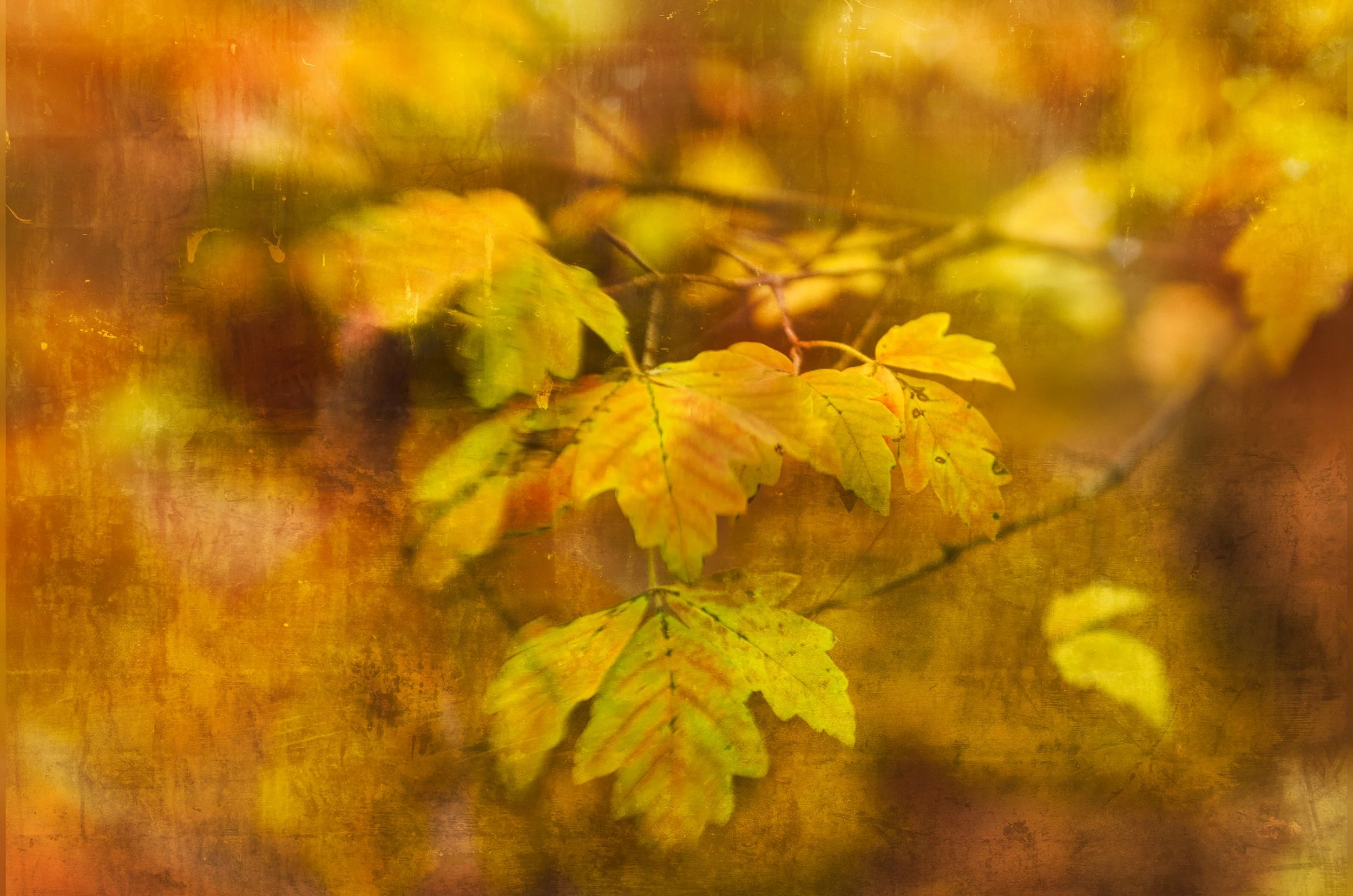
While the first image of the dogwood flower is rather subtle, this image of paperbark maple leaves in fall shows what can be achieved with heavier textures applied through Luminar Neo’s layering and blending modules. The original image was taken with the Lensbaby 2.0 and sweet 50mm lens.
Luminar Neo is a photo editing software package that combines ease of use with the power of Ai to assist photographers, who may have been hesitant to dive into more complex photo editing software in the past, to embrace the ease and convenience of a more simplified, yet powerful, editing program.
Lensbaby is a lens manufacturer that embraces and encourages photographers to push creativity by offering lenses with unique characteristics that create elegant, soft-focus effects, beautiful colour blending and soft ethereal results that enhance almost any image, especially in the garden, with flowers and portraits.
In the final days leading up to Christmas, Luminar Neo is offering a special “creative” Advent Calendar package just in time for photographers to give themselves a special gift for the season.
The lowest price is available now, but once the doors officially open, the cost will range from $119 to $159 depending on if you are a new or existing user.
The Advent Calendar includes 12 unique surprises, each hidden behind a daily window. Photographers can discover a new gift every day, such as:
🔸 Luminar license
🔸 Marketplace items (Skies, bundles and more)
🔸 X-membership subscription
🔸 Educational courses
There are different surprises depending on the Luminar Neo package you choose or currently own.
Check out the information at the end of this post for details on the special creative and educational packages.

This image was taken with the Lensbaby Composer and sweet 50. It was then brought into Luminar Neo where a number of textures were applied creating a more painterly effect. One of the textures was also used to add the lovely, subtle pink tone to the image.
Adding textures to existing images is rather simple with Luminar Neo’s intuitive photo editing program. It’s as simple as dropping a textured image on top of your main image and then choosing from a host of blend modes from a drop-down menu. Once the texture is applies and the blend mode chosen, it is up to the photographer to decide if they want to go farther using masks or a host of other editing modules within Luminar Neo.
One of my new favourite modules is Luminar Neo’s incredible “Light Depth” module that is capable of transforming flat, boring images into beautifully lit, three-dimensional images. Check out my earlier post here, for more on using the Light Depth module in Luminar Neo.

These Northern Sea Oat grasses photographed with a Lensbaby 2.0 was given added interest by using a Luminar Neo built-in golden dust texture effect. You can create your own textures, find free ones on line or purchase more professional textures through Luminar Neo. Their latest creative package might just include some of their professionally produced creative tools.
If you are interested in exploring Lensbaby lenses further, you can check prices here (Amazon.com) or here (KEH used camera exchange.) If you are interested in exploring Lensbaby lenses further, check out the offering of books available through Alibris used books here.
My earlier posts on Luminar Neo
Adding textures, manipulating lighting, or even repairing old family photos are just a few of the incredible bonus features offered by Luminar Neo’s comprehensive editing software. For more of my posts on the benefits of exploring Luminar Neo, I encourage you to check out the following posts.
• Exploring Luminar Neo mobile for your phone: click here.
• Exploring Luminar’s incredible photo restoration module: Click here.
• Can Luminar Neo act as your only photo editing program. Click here
Subtle textures were added to this macro image of a Hydrangea blossom taken with the Lensbaby composer fitted with a Lensbaby macro filter.
Of course, garden flowers are not the only subject for Lensbaby lenses and Luminar Neo textured effects. Below is an image taken recently of our new flat Coated retreiver, Colby. This image was taken with the Lensbaby Velvet 56. The Velvet series of lenses are capable of truly beautiful results with an ethereal glow that is magnified depending on the f-stop used (from quite sharp at f5.6 through f16 and getting softer from F5.6 through to F2.
Two B&W textures were added to the original image to maintain the overall B&W, painterly effect.
The image below and the above images represent just a few of the creative approaches available to photographers using special effect lenses and/or filters, and combining them with the creative effects available through Luminar Neo. Please explore the links provided for my earlier posts on Luminar Neo and be sure to click below to check out all of the special deals on creative assets, tools and educational resource materials Luminar Neo is adding for their “creative advent calendar.”

Our rescue Flat-Coated Retriever with his baseball stuffy taken with the Lensbaby Velvet 56 with two textures added for a painterly effect.
Luminar Neo’s holiday calendar of gifts explained
From December 13th to 24th, open a new surprise every day and discover creative tools, content, and inspiration worth more than $1000.
The calendar can also be gifted to friends, family, or photography enthusiasts, making it a thoughtful and creative holiday present.

Here’s what all the excitement is about. Unlock your treats every day leading up to the big day.
Calendar Timeline:
December 10: Presale begins with lower prices
December 13–24: Daily windows open (one per day)
December 16–25: Calendar available at full price
Going mobile with Luminar Neo
Luminar Neo’s powerful photo editing package goes mobile.
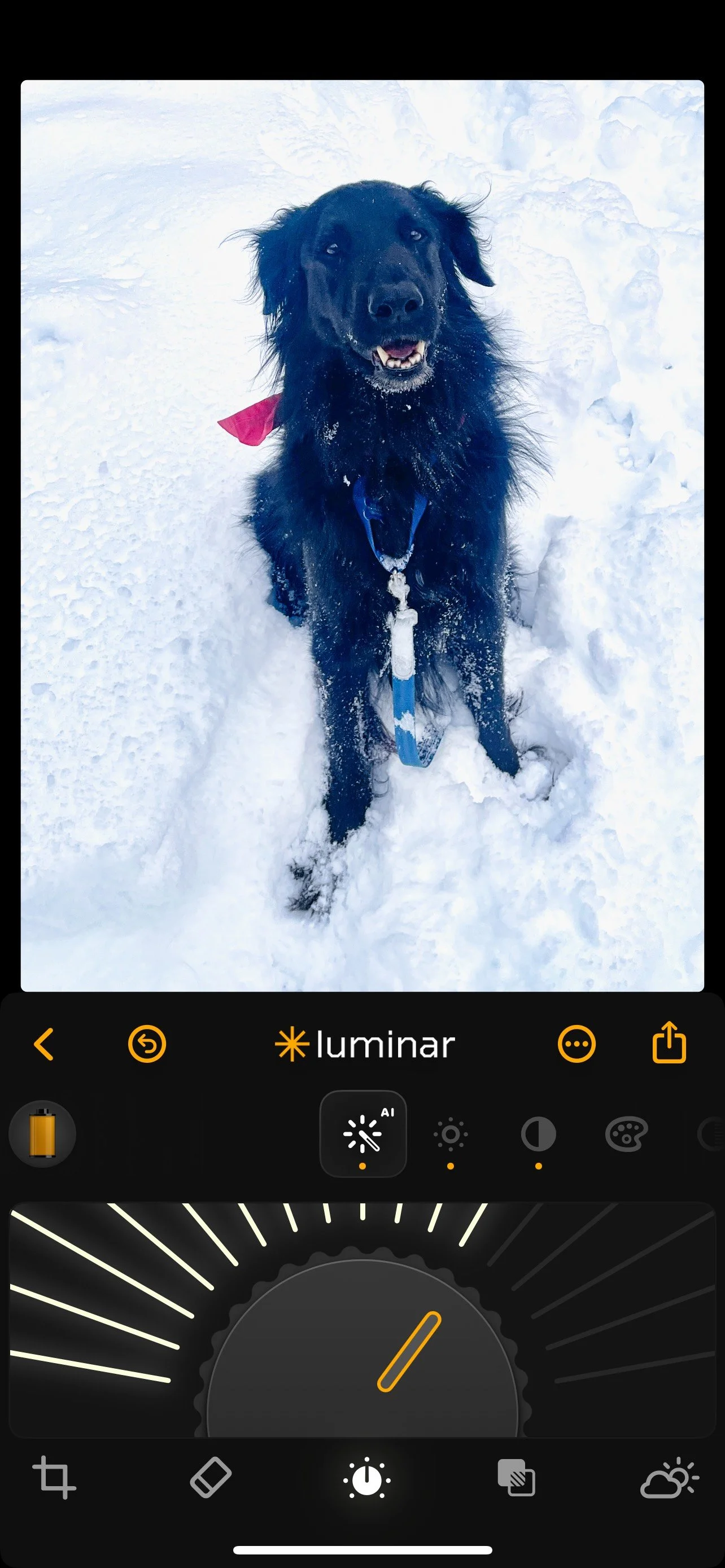
Luminar Neo goes mobile
A black dog in snow: The perfect example of why we need the power of a post processing photo program on our phones. Colby, our flat-coated retriever, loves the snow. Unfortunately, getting properly exposed photographs of him playing in the snow on our phones is impossible. With the help of Luminar Neo mobile app, pictured here, I was able to white the snow and lift the details in his jet-black fur, as well as brighten his eyes using Luminar Neo’s mobile app. I also cropped the image to make Colby larger in the Frame and use the erase module to take out some distracting plants in the upper left corner of the image. (See below for the original image.)
If you are like most of us, our phones are an integral part of capturing favourite memories.
Unfortunately, most of the images sit on our phones until we either get a new phone or delete them to save space. Sure, a fraction of them might make it to instagram, Facebook or sent via email to friends and family.
It’s rare, however, that these images are given the attention they deserve. It’s even rarer that they ever get an edit to fix problems and realize their full potential. Most are taken, forgotten and eventually deleted never to be seen again.

Smartphone failure
Our smartphone cameras can by very good at capturing difficult subjects but a black dog in the snow is not one of them. This “straight-out-of-the-camera image is the perfect example of why we need a powerful photo post processing program to rescue images prior to posting them online.
Throw away memories that are never printed and easily forgotten.
Luminar Neo is looking to change all that with their mobile app that packs much of their photo editing power into your phone. If that’s not enough, the folks at Luminar Neo are making transferring images from your phone to your laptop or desktop Luminar Neo post processing program as quick and easy as a few simple clicks.
• If you are an existing user to Luminar Neo, click here for more details.
• If you are a new user to Luminar Neo, click here for more details.
Do phone images even need editing?
You might say ‘my phone is capable of taking great images and don’t need to be edited.’
In many instances, images produced by your smartphone are very good. However, I can honestly say that most images can be improved with a quick edit, and many can be transformed with editing prior to publishing.

Colby in the snow after post processing with Luminar Neo.
If, for instance, your instagram account is important to you, taking a few minutes to quickly edit your images is time well spent.
For example, If you are taking images in unusual conditions, such as at the beach with white sand, or in winter with snow, or directly into bright sun, you will need to edit the images before posting. If you are taking images is poorly lit areas, using your phone’s flash or maybe you need to remove distracting elements. In all these cases, you will need the capabilities of a powerful post processing program.
That’s where the Luminar Neo Mobile app goes into action.
Lighten the shadows to bring out detail in the backlit image, turn that blueish snow into the crisp white you remember. Crop it, add some warmth, improve skin tones and even turn to a little Ai magic to remove distractions in the image.
And, that’s not all. Many of the features on the full desktop program are available on the mobile version, including Luminar’s transformative “Light depth” module. For more on this outstanding light manipulation editing module, check out my earlier post here.
For more on Luminar Neo’s Holiday gift for photographers, check out my post here.
Finally, if you want your favourite smartphone images on your laptop or desktop for further post processing, transferring your mobile images to your laptop or desktop Luminar Neo program is as simple as a few quick clicks. All of the edits you made on the mobile app are transferred to your desktop ready for you to further refine the image.
The folks at Luminar Neo have taken huge strides in combining the power of our smartphones with the power of their ai-based post processing software to put the magic of Luminar Neo literally at our fingertips.
And they have slashed prices this holiday season to make Luminar Neo the perfect gift to give to yourself or your favourite photographer.
What you get and pricing packages
You might be surprised just how much processing power you get for a more than reasonable price. Luminar Neo’s Black Friday offers are live with discounts of up to 77% — the perfect moment to get the full Luminar Neo Ecosystem.
Here are some of the pricing details: Please use the click here to get the discounts through my affiliate with Luminar Neo.
Prices for new users: Click here for more details
Luminar Neo Desktop Perpetual: $99
Luminar Neo Cross-device Perpetual (Desktop + Mobile): $139
Luminar Neo Max Perpetual (Desktop + Mobile + Spaces): $159
Prices for existing users of Luminar Neo: Click here for more details.
Upgrade Pass: $49
Ecosystem Pass: $69
Please use the two links above to get more information or to make a purchase. By using these affiliate links, I receive a small contribution at no extra cost to you for making the purchase.
Luminar Neo will take your photography to new heights
Luminar Neo post processing software is the simpler way to create outstanding images.

Cherry blossoms image created with the assistance of Luminar Neo’s post processing tool.
Simplify post processing to a few simple clicks
If there is one tool that has transformed my photography more than anything else in the last year, it has been the introduction of Luminar Neo’s photo editing program to my post processing toolbox.
Now, it’s available for up to 77 per cent off an already very reasonable cost.
By simplifying the whole process of editing my digital images down to merely a few simple clicks, the photo editing software has made post processing not only a real joy, but a way for me to discover new, and exciting approaches to photography.
And, when I want to take my images to a whole new level, Luminar Neo’s extensive editing tools offer all the capabilities that more serious amateurs or professionals would want in a post processing package.
Add their most recent additions to an already extensive list of tools and post-processing modules, and it’s probably fair to say that Luminar Neo is not only the new kid on the block, but it managed to take the best of what’s around, simplify it and add its own unique creative editing modules to put this photo editing software in a league all its own.
Click here for pricing and details if you are a new user of Luminar Neo
Click here for pricing and details if you are an existing user of Luminar Neo.
Luminar Neo is also not resting on its laurels. They tell me that in the coming weeks they will also be introducing the beta of their AI Assistant, a powerful new tool arriving in Luminar Neo before the end of the year.
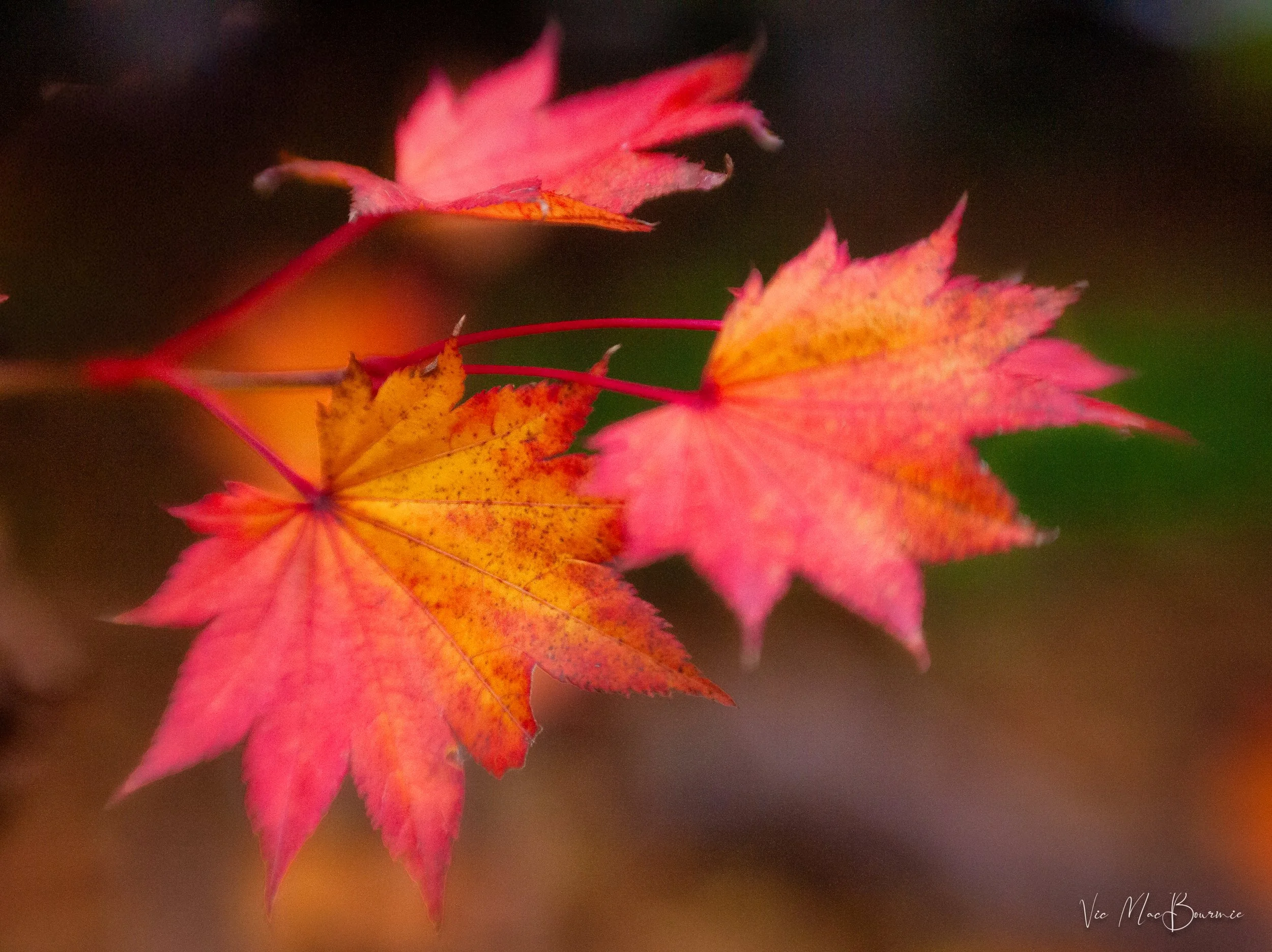
Fall leaves shot with a Lensbaby lens and post processed with Luminar Neo post-processing photo software.
Light depth module
By far, Luminar Neo’s new “Light Depth” module is so transformative that it alone makes the program worth purchasing. The ability to change the light in your digital images to highlight areas of the scene from one with flat light, into one with a three-dimensional look, is game changing. Add to that, the ability to control the warmth and coolness of the scene both near and far – all with a few simple clicks – and it’s hard to not get excited about the possibilities.
Click here for my complete post showing the incredible results you can get from Luminar Neo’s Light Depth module.
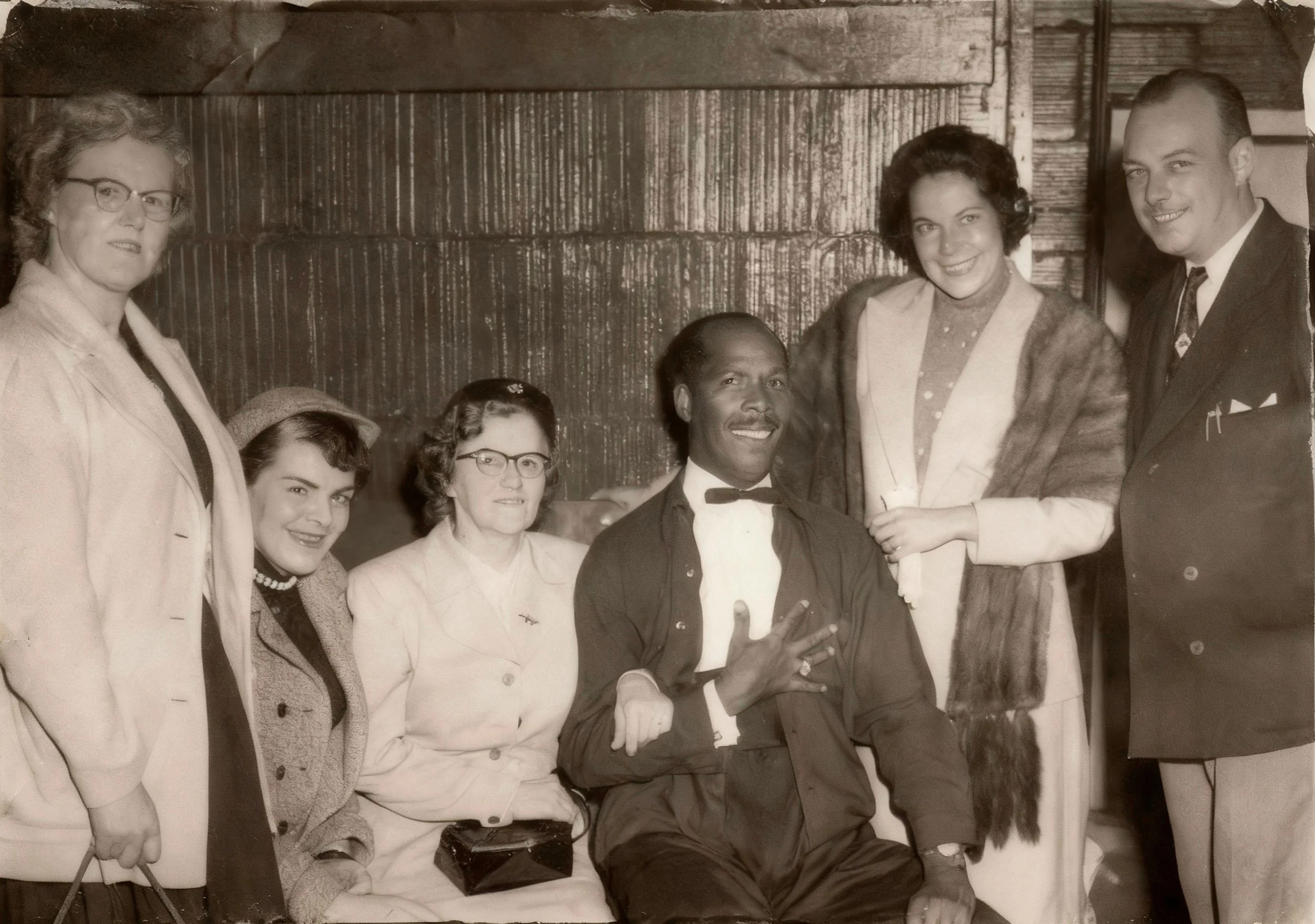
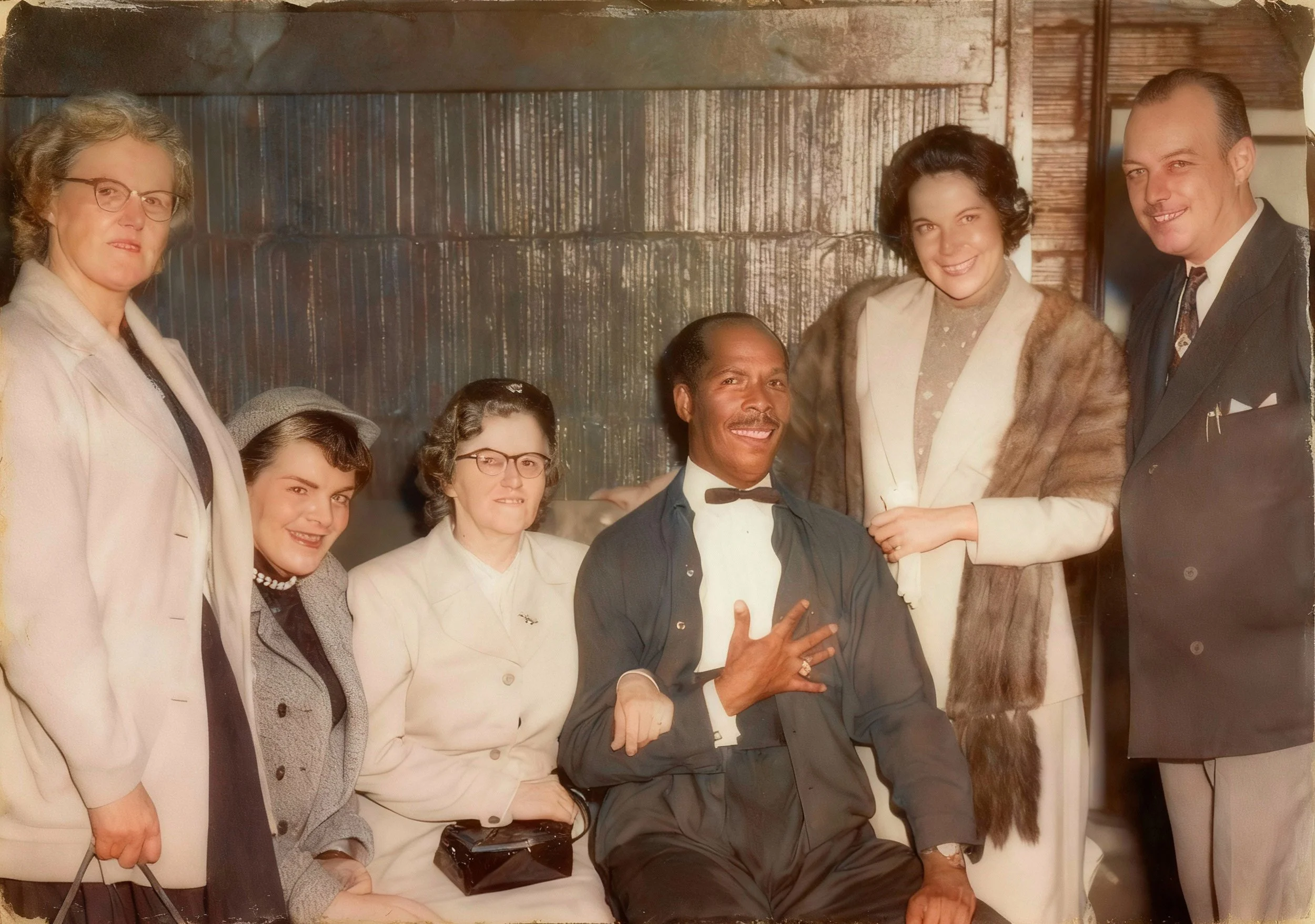
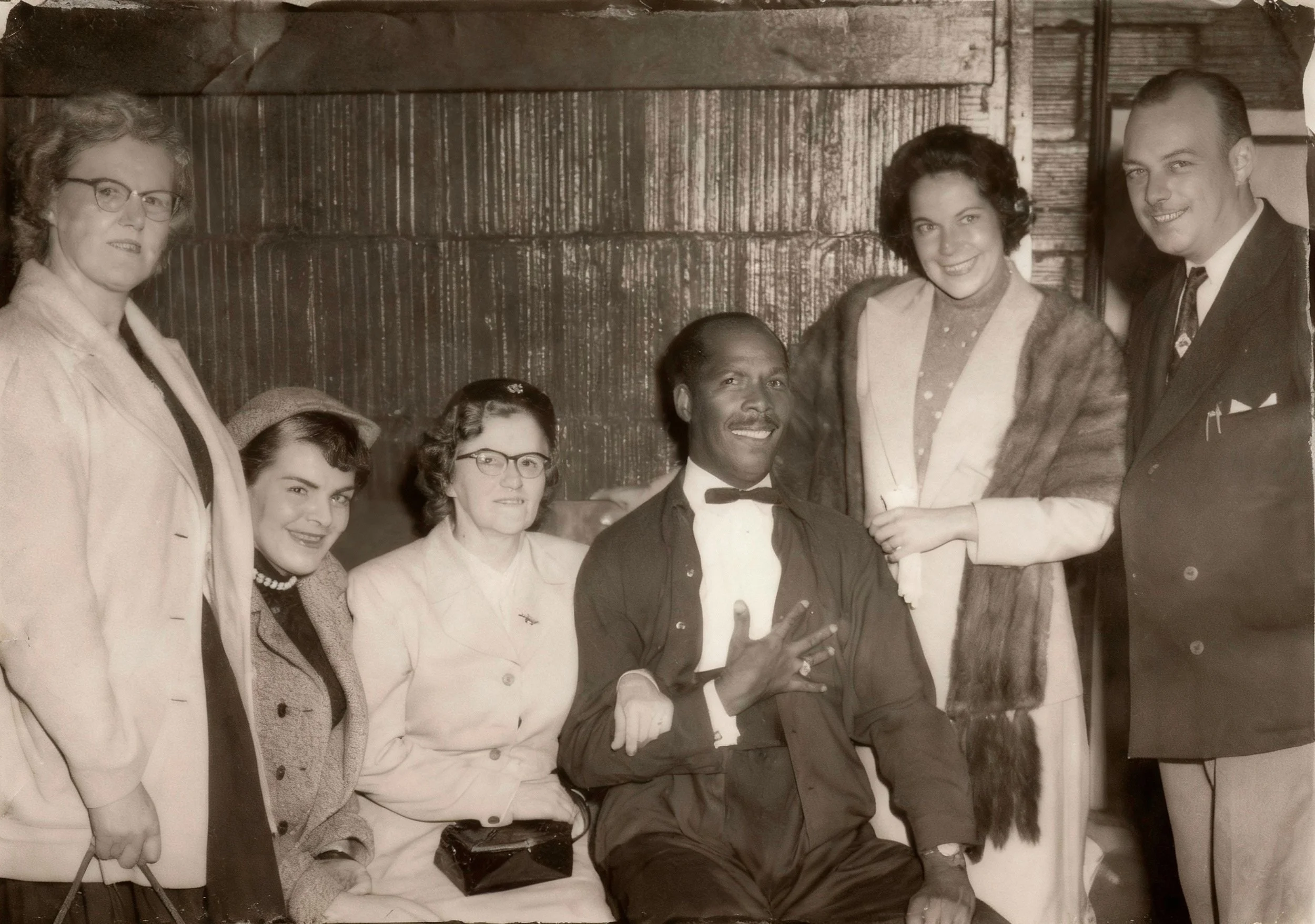
A prized family photograph of my parents and relatives with famed Ink Spots lead singer Bill Kenny in B&W restored.
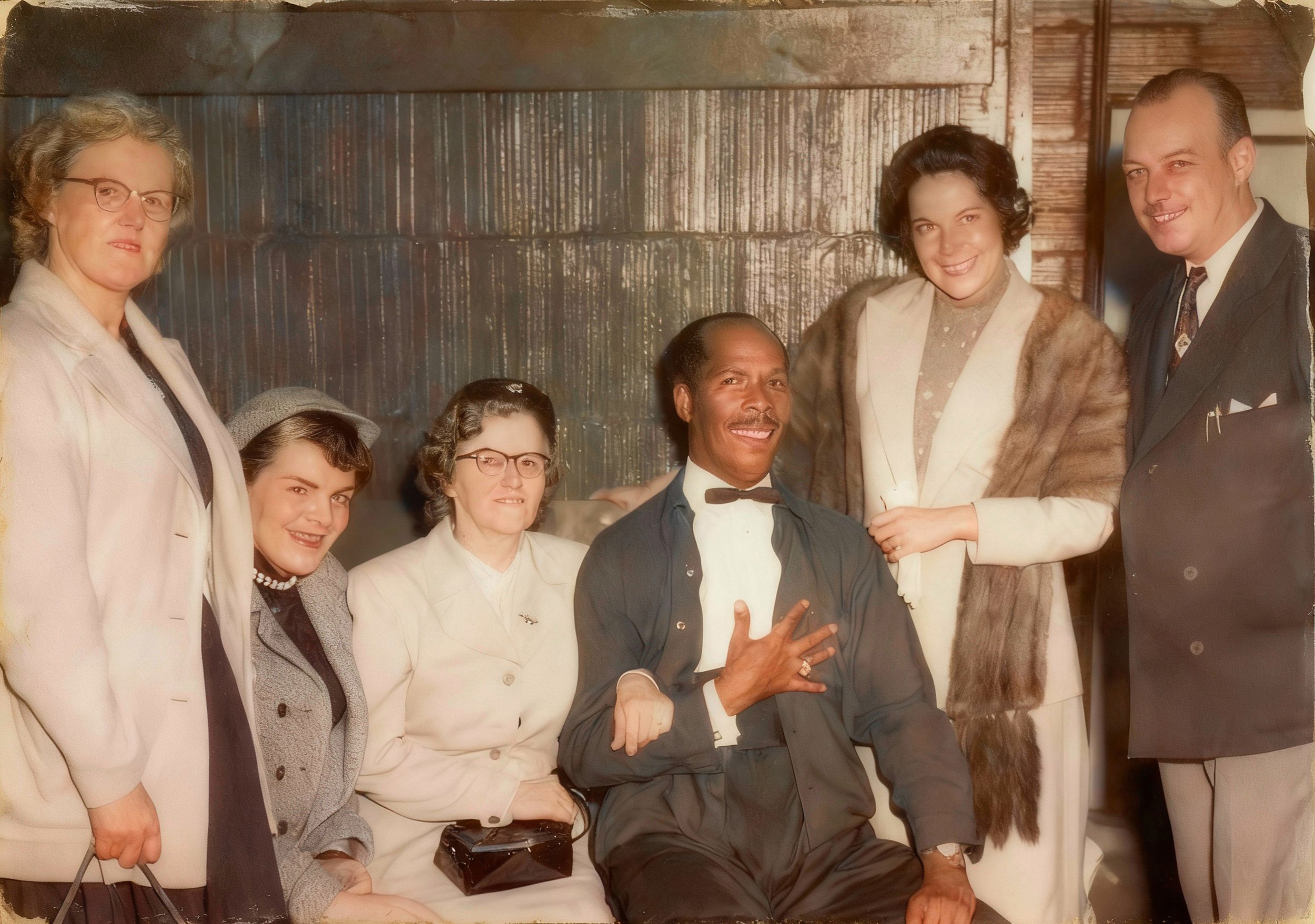
The same image colorized with one click by the power of Luminar Neo’s restoration module.
Restoring old photos is so simple
In its latest release Luminar Neo has made professional photo restoration and colour conversion as simple as one click. And the results are literally astounding. There is no more need to pay professional photo restorers to bring back your family photos, it’s all built into the new version of this Ukraine-based post processing photo program.
Click here for my complete post showing the transformative results you can get from Luminar Neo’s new Restoration module.
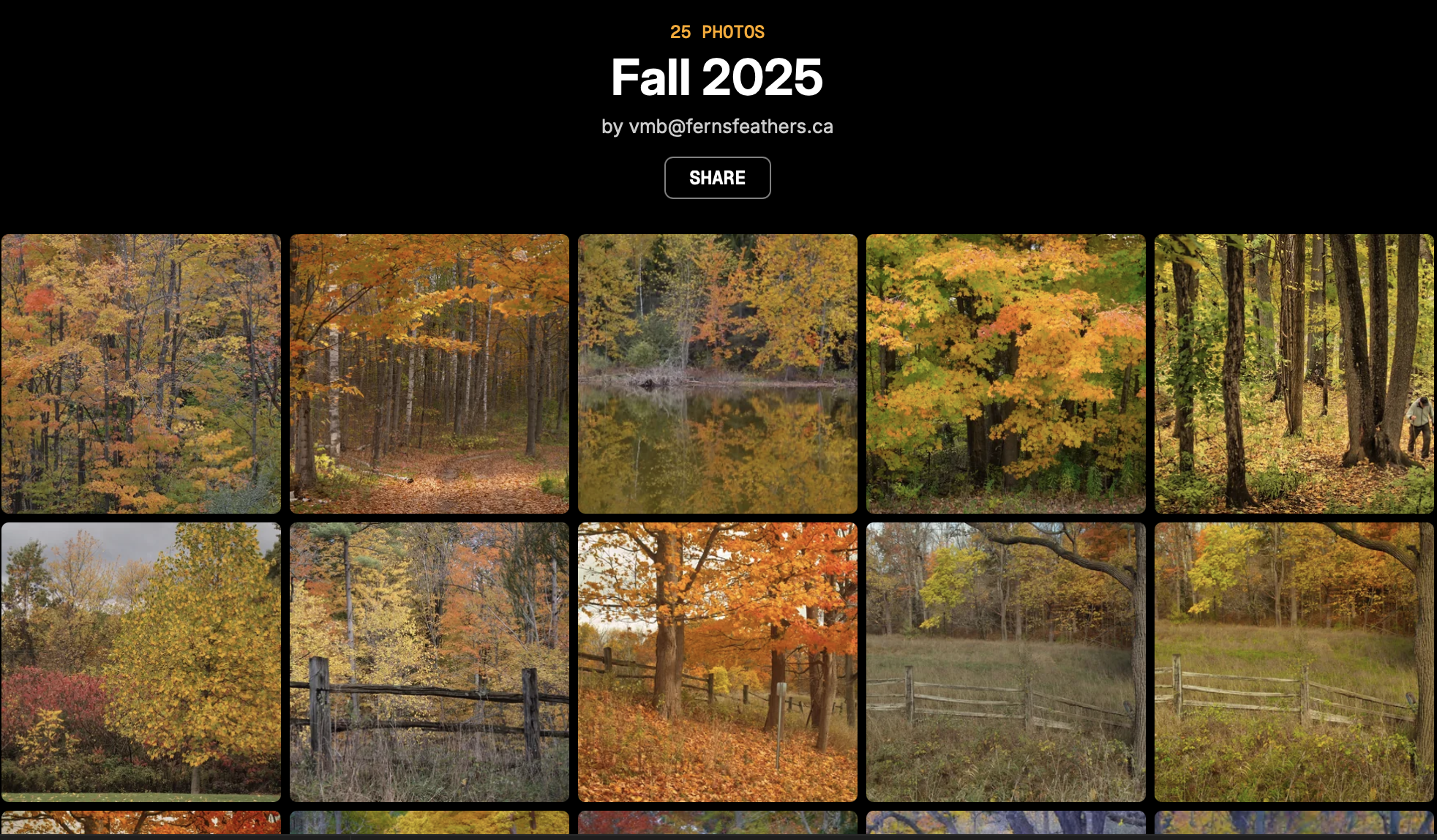
Luminar Neo offers users with their own Space to share their best images or family vacations with friends and family without the need for expensive websites.
Now you can get your own Space to show off your photos
No need for a fancy and expensive website, now you can get your own space to show friends and family your best images. As part of Luminar Neo’s newest release, purchasers can get their own “space” where they can show off their favourite photos or vacation pictures with friends and family without the expense of creating their own website.
Check out two spaces I recently created on Luminar Neo’s new “Spaces”. Our European vacation here and fall in the backyard here and for a look at a few of the images I restored using Luminar Neo’s “Restoration” module, click here.
More posts on Luminar Neo
All of this and much more is available with Luminar Neo’s latest release just in time for the holiday season. For my of my posts on Luminar Neo, check out the posts below.
• Discover the beauty of the woodland with Luminar Neo.
• Can Luminar Neo stand on its own as an editing package?
What you get and pricing packages
You might be surprised just how much processing power you get for a more than reasonable price. Luminar Neo’s Black Friday offers are live with discounts of up to 77% — the perfect moment to get the full Luminar Neo Ecosystem.
Here are some of the pricing details: Please use the click here to get the discounts through my affiliate with Luminar Neo.
Prices for new uses: Click here
Luminar Neo Desktop Perpetual: $99
Luminar Neo Cross-device Perpetual (Desktop + Mobile): $139
Luminar Neo Max Perpetual (Desktop + Mobile + Spaces): $159
Prices for existing users of Luminar Neo:
Upgrade Pass: $49
Ecosystem Pass: $69
Luminar Neo brings treasured family memories back to life
Restoring vintage family photos has never been easier with Luminar Neo’s new Ai restoration module.

Luminar Neo not only took this outstanding vintage black and white image of my mother, father and aunts posing with our cousin Audrey and her husband, acclaimed singer of the Ink Spots, Bill Kenny, but modernized it with an extraordinary colour rendition using the “Full” module in the post processing photo program. (see BW image below.)
Restoring, colourizing vintage photos
Not long ago, fixing old family photographs involved bringing them to professional photo retouchers and paying a week’s salary to have a handful of them restored.
Those days are gone thanks to a new, incredibly impressive new feature in this fall’s Luminar Neo release.
With a single click of your mouse, you can transform a faded, scratched, blemished old black and white photograph into a perfect reproduction of the original Black and White version.
And that is just the beginning.
The simplicity of the “restore” module is almost too good to believe.
Rediscover treasured photos
This prized family group portrait of the acclaimed lead singer for the Ink Spots Bill Kenny and wife Aubrey pictured here with my mother (2nd left and father far right) at a club in Halifax Nova Scotia. Luminar Neo was able to repair any scratches and blemishes on this BW image with the simple click of a single button. Another button colourized it (see above).
Restore module is the essence of simplicity
In fact, there are just three buttons to choose from to transform your vintage images: “Full” which repairs scratches, blemishes and colourizes the image to modern standards; “Colour” which simply colourizes the image without removing scratches and blemishes for a more authentic Lomography look; and “Scratches” which leaves the image either in its original BW or colour state and simply removes any scratches or blemishes on the photograph.
It’s so simple and effective that it is difficult for me to go into much more detail than – choose what you want to do and press the appropriate button.
If you are interested in trying Luminar Neo, please consider using my affiliate link HERE to purchase the program. By doing so, I receive a small payout that does not affect your purchase price.

This is the restoration module in Lumina Neo. Simply drop the image into the box and choose Full, Color of Scratches. Then hit the Restore button. The final image will show up in a separate folder within Luminar Neo called “Restoration.”

My sister and I on large format negative inverted.

The same image of my sister and I ran through the full module which colourized the photograph as well as adding some interesting vintage touches. Running the images through the module can result in slightly different results, which makes the entire process even more exciting to see the results.
Obviously, you will have to have a way to get the old images into Luminar Neo. I choose to use a flatbed scanner, but you could easily take digital pictures with your phone or, even better, a digital camera with the ability to take close-up images.
Once the images are on your computer or phone, import them into Luminar Neo, drop them into the restoration box, choose the appropriate button – either Full, Colour or Scratches – and Luminar Neo will drop the finished photo into a separate folder named restoration.
It’s as simple as that. The following are just a few examples’s of what the “restoration” Ai module can do in just a minute or two.
For more before-and-after images, check out my new “Spaces” gallery from Luminar Neo here.

The original BW image prior to any post processing.

A “Full” colorized version of the vintage image.
The following is a good example of what the Luminar Neo “Restoration” module can do for heavily compromised images by not only restoring them by removing scratches and even missing parts of the image, to colourizing them to create authentic-looking images.
The following shows the original scan, a repaired scan and the final colourized version.
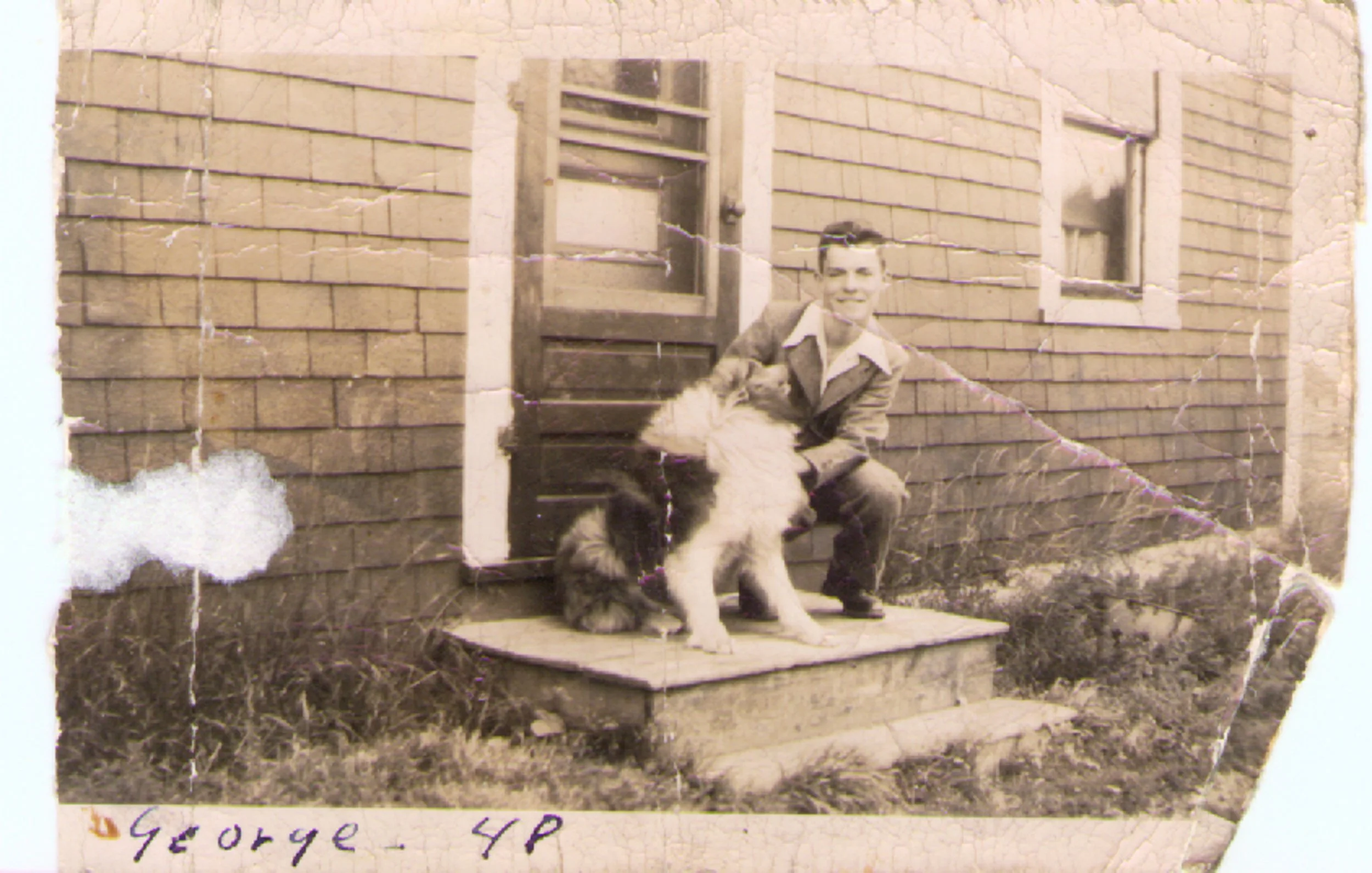
This is the original, untouched image of my uncle and his dog.
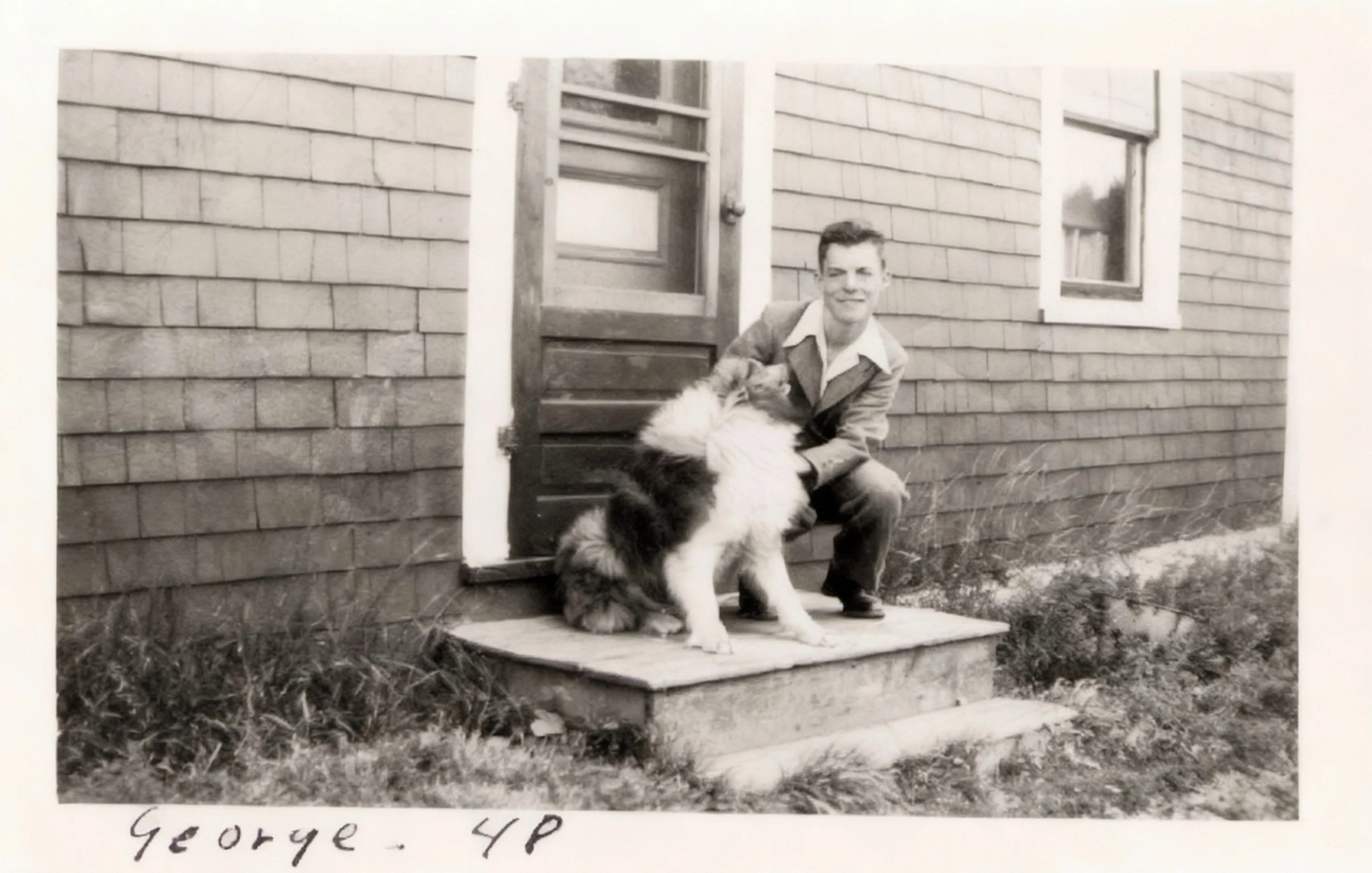
The same image ran through the restore module – a single click of a button in Luminar Neo.
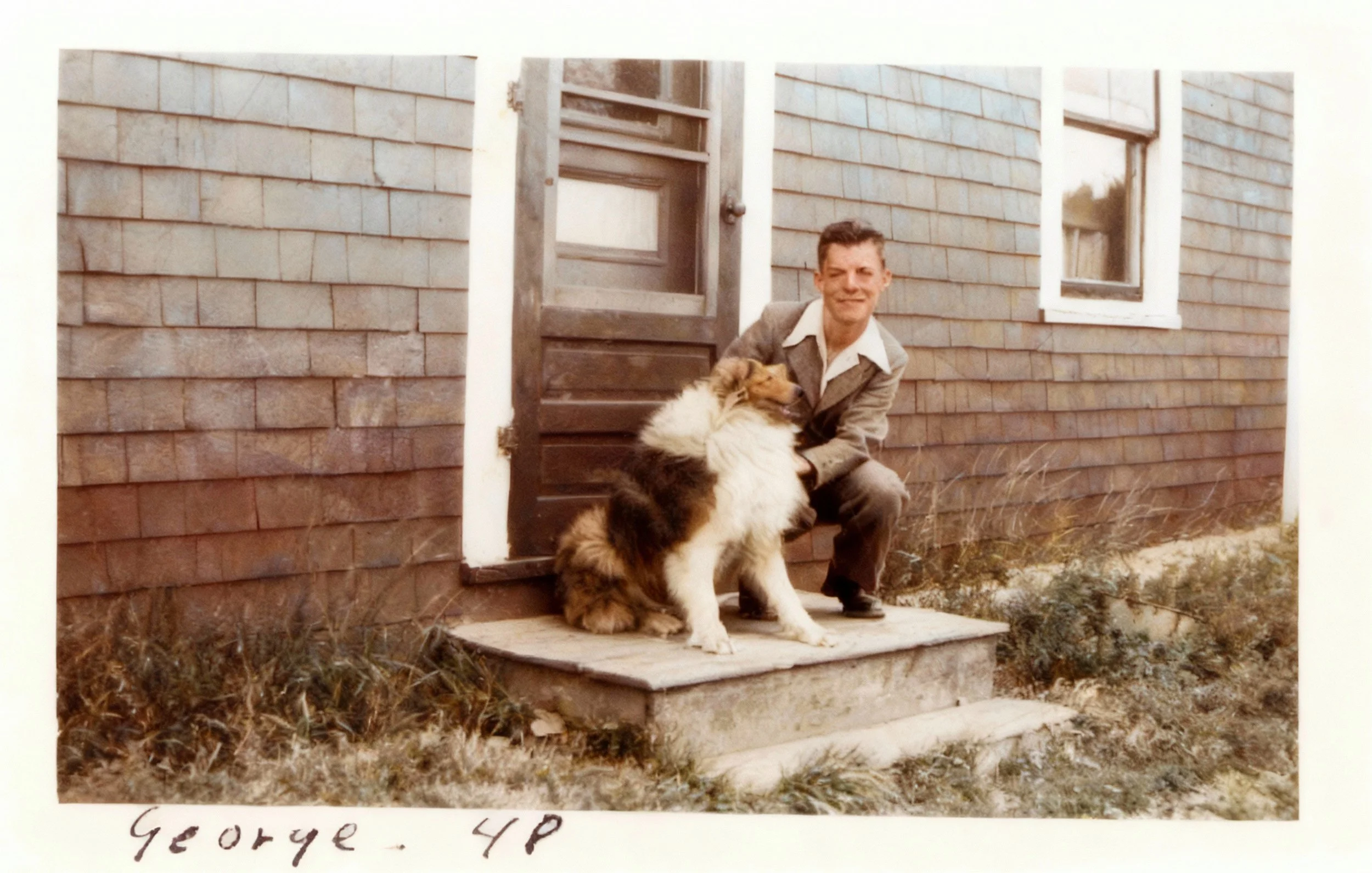
The final restored and colourized image. Note that the ai changed the dog’s profile slightly.
If you are interested in trying Luminar Neo, please consider using my affiliate link HERE to purchase the program. By doing so, I receive a small payout that does not affect your purchase price.
If you are a new user to Luminar Neo, use this link.
If you are a current user of the program, use this link
Prices below: Black Friday is Coming:
Dates: October 24 - December 1
Discounts: Up to -75% on the Luminar Neo Ecosystem - the best prices of the year!
Prices for new uses:
Luminar Neo Desktop Perpetual: $99
Luminar Neo Cross-device Perpetual (Desktop + Mobile): $139
Luminar Neo Max Perpetual (Desktop + Mobile + Spaces): $159


Looking to take your garden and wildlife images, even your family portraits to new heights but don’t want to buy expensive equipment? This post is for.