
Luminar Neo turns the focus on beautiful bokeh

This image of a doe in the woodland was always a nice image, but by softening the background, I was able to draw attention to the deer. By creating a narrow band of focus, the viewers eye is drawn to the deer. A relatively inexpensive Olympus 100-300mm lens was used to capture the image but the narrow depth of field suggests a very fast and expensive f2.8 lens was used.
Celebrate spring with these outstanding new features from Luminar Neo
The difference between a very expensive lens and the inexpensive consumer version often comes down to which lens can render a softer, more pleasing out-of-focus background.
Fast, expensive lenses deliver on both sharpness when it comes to the subject as well as the ability to soften the background translating into what most photographers describe as beautiful bokeh.
Those smart phone images that have become so common on social media often lack any real bokeh. Instead, everything is sharp from front to back. The same can be true for most point-and-shoot camera results. That can work in many cases, but if you have always wondered why more experienced photographers’ images always have a beautiful look to them, chances are the bokeh of their lenses plays a significant role.
(If you are interested in checking out or purchasing Luminar Neo, please consider using my discount code here.)
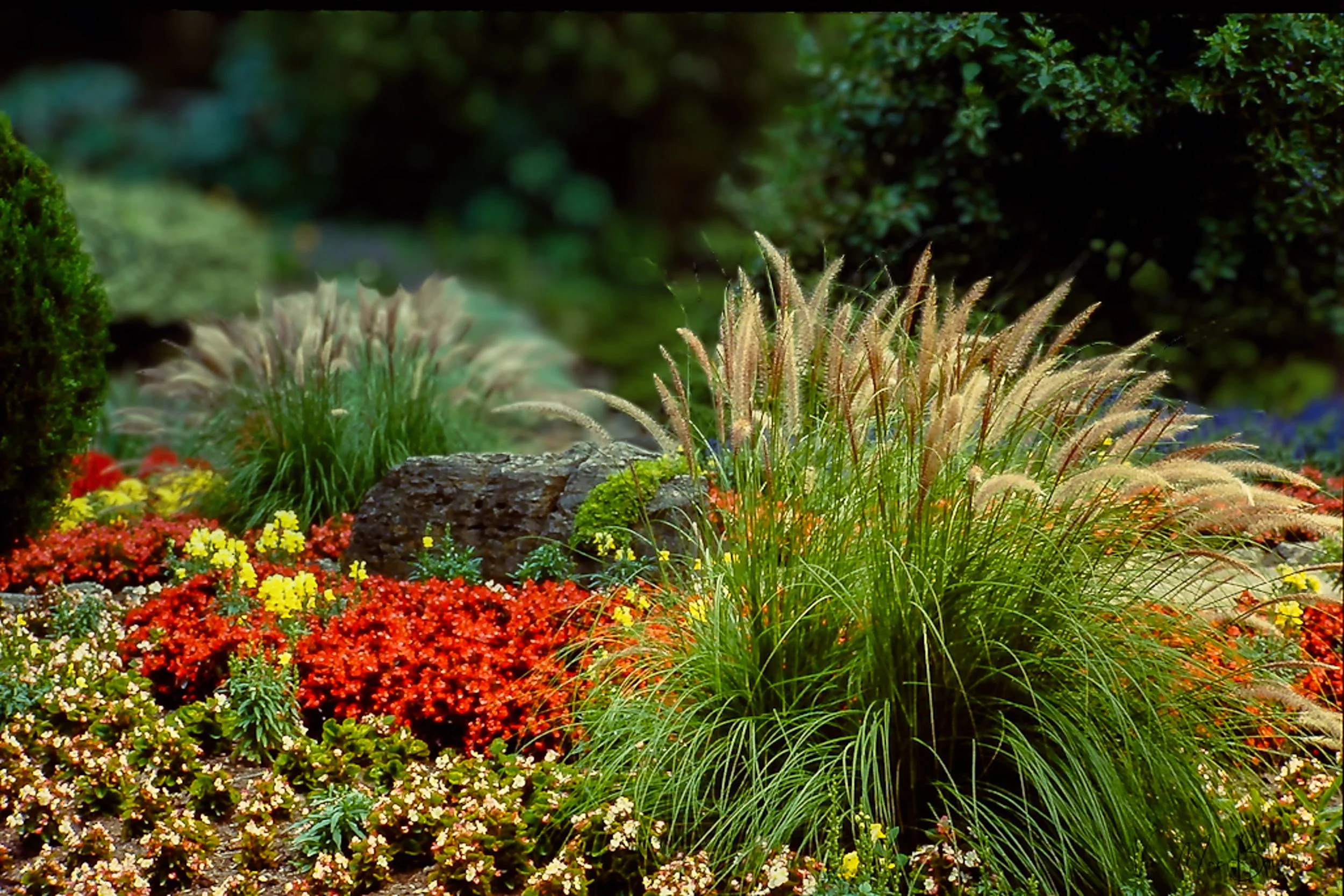
In this image both the “Bokeh” module and the “Light depth” module were combined to create depth both with a soft out-of-focus background as well as warm lighting focussed on the main ornamental grasses in the front.
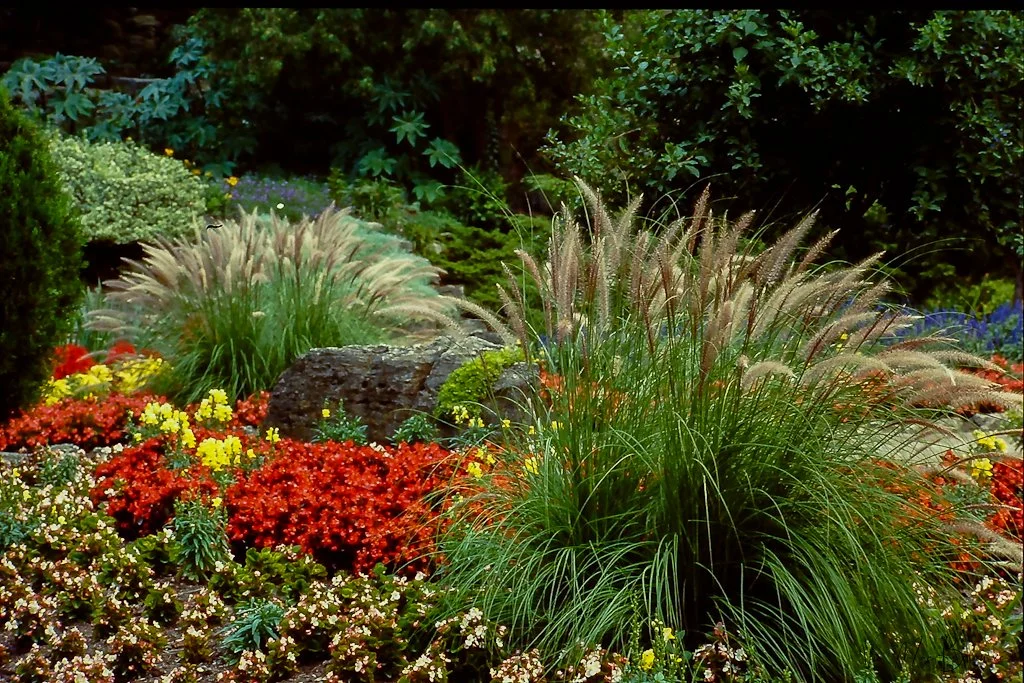
In this “before” image you can clearly see how the background is sharp and a little distracting. In addition, the foreground grasses lighting is rather dull compared to the grasses in the above image that were warmed and lightened in the light depth module in Luminar Neo.
In the past, not having access to fast and often expensive lenses, means those beautiful, soft-background images were unattainable.
Luminar Neo’s new spring feature package has changed all this.
From portraits to landscapes, beautiful bokeh can change everything
Now, Luminar Neo can turn your smartphone and inexpensive kit-zoom photos into images with a beautifully soft creamy bokeh. Even better, you have complete control over the bokeh effect in your images.
Originally released as part of its “Portrait tools”, Luminar Neo’s Bokeh module fits just as easily in a nature, wildlife and flower photographer’s tool box.
I remember when Lightroom first introduced a similar feature and it changed the way I saw many of my older photographs. I spent weeks going back over images with distracting backgrounds and seeing how the software could improve the images by softening the background.
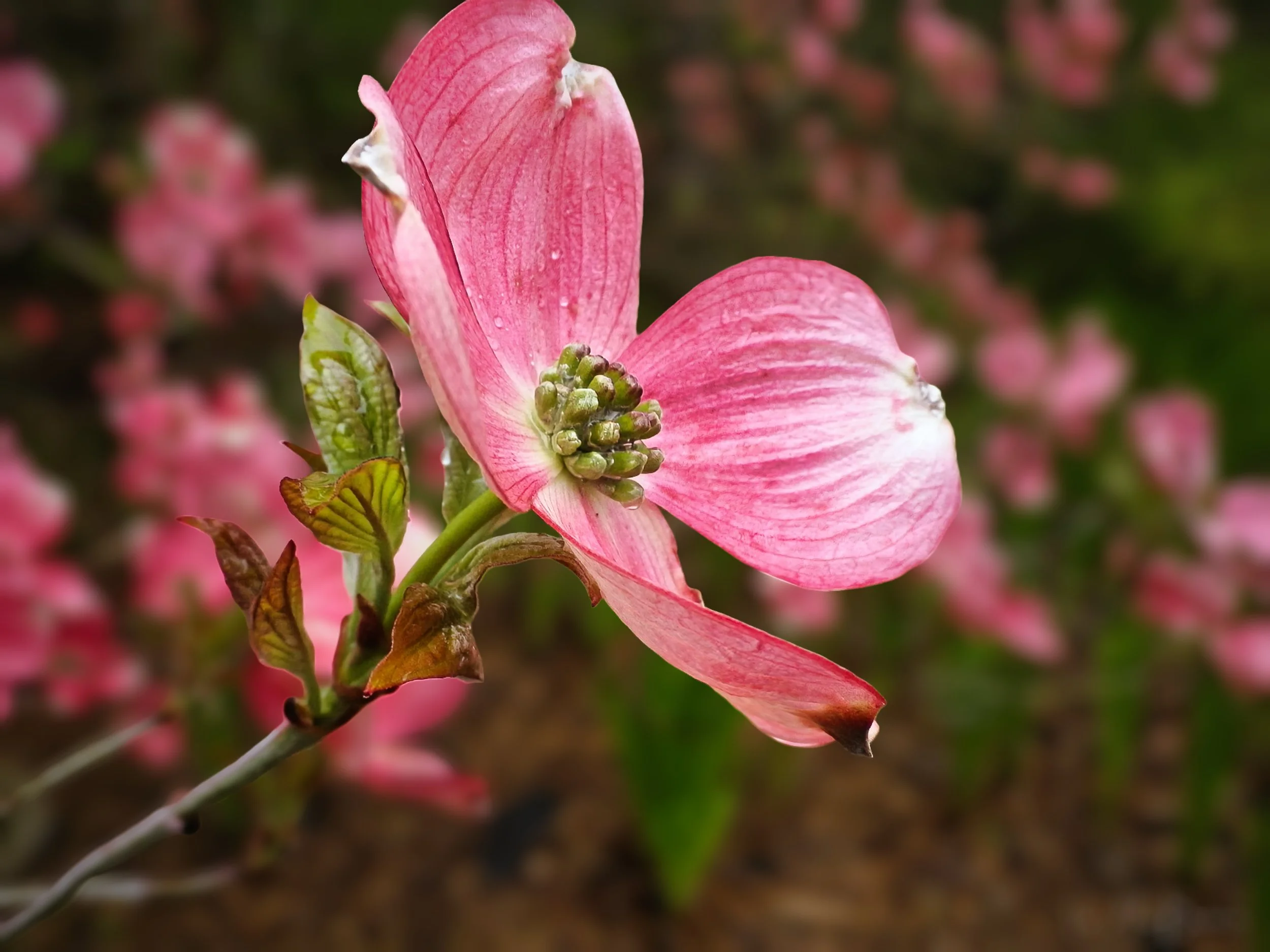
The lovely dogwood bract stands out nicely from the softened background with the help of Luminar Neo’s Bokeh tool. The tool allows subtle changes if just a little is all you need.
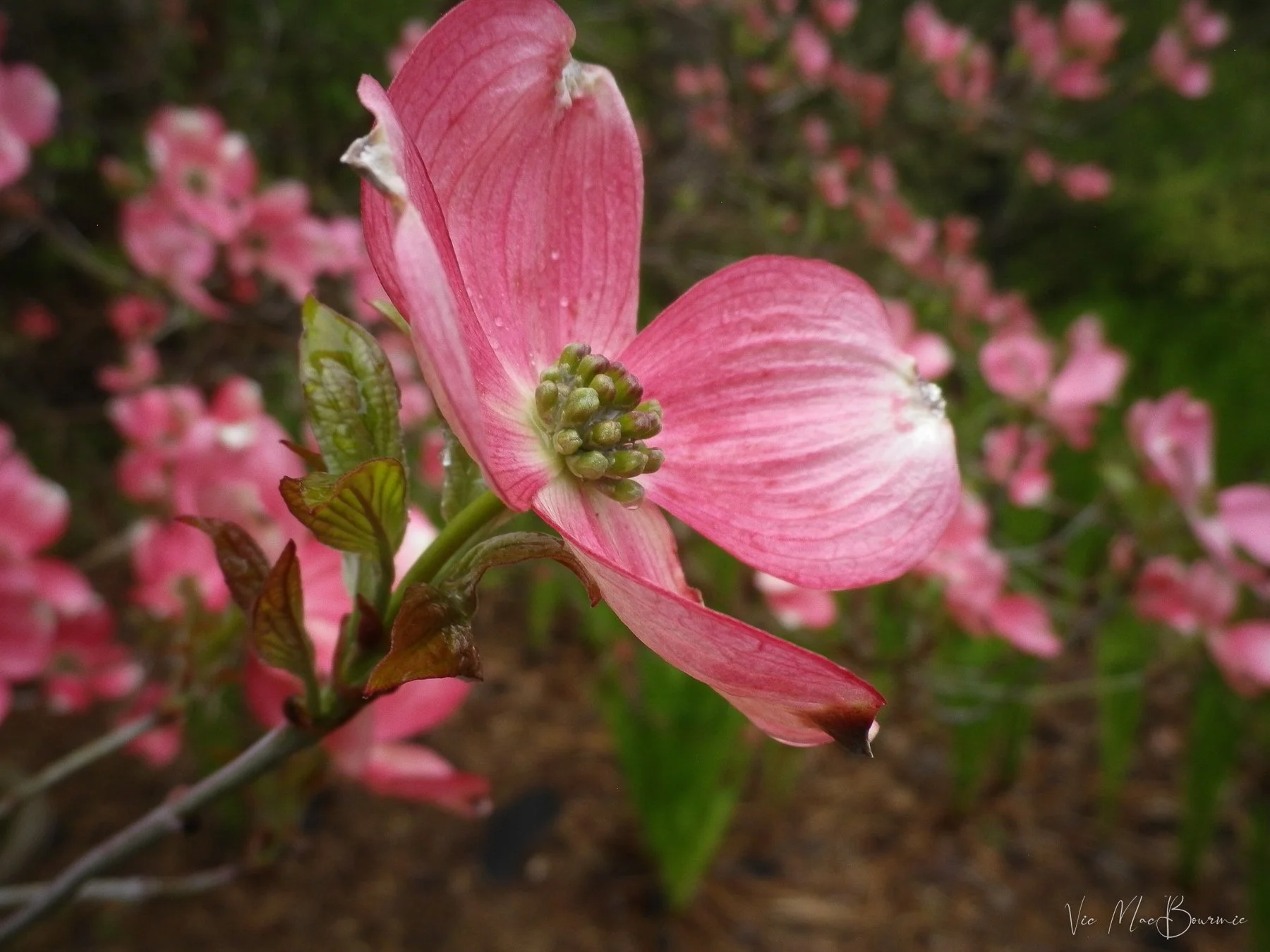
The original image, while still lovely, is improved with warm light and a softer background. Sliders built in to the Luminar Neo tools give the photographer complete control how soft they want the background to look. Improved masking capabilities creates smoother transitions to keep the image from looking over processed.
Now I can do the same in Luminar Neo for a fraction of the price. And, I have to say that Luminar Neo’s new bokeh module is better and works in the same three-dimensional way as Luminar Neo’s outstanding Light Depth module works.
The bokeh module and the light depth module combination can literally transform your photography from boring to spectacular without the purchase of expensive cameras and lenses.
If you have not read my post on Luminar Neo’s light depth module, you can check it out here.
I think the following before-and-after pictures best tell the story.

Softening the background helped this young fox stand out from distracting foliage seen in the before image below.

The background is quite distracting in this image and gives the overall image the look of more of a snapshot. Softening the background (see image above) improves the image and helps focus the viewer on the main subject.
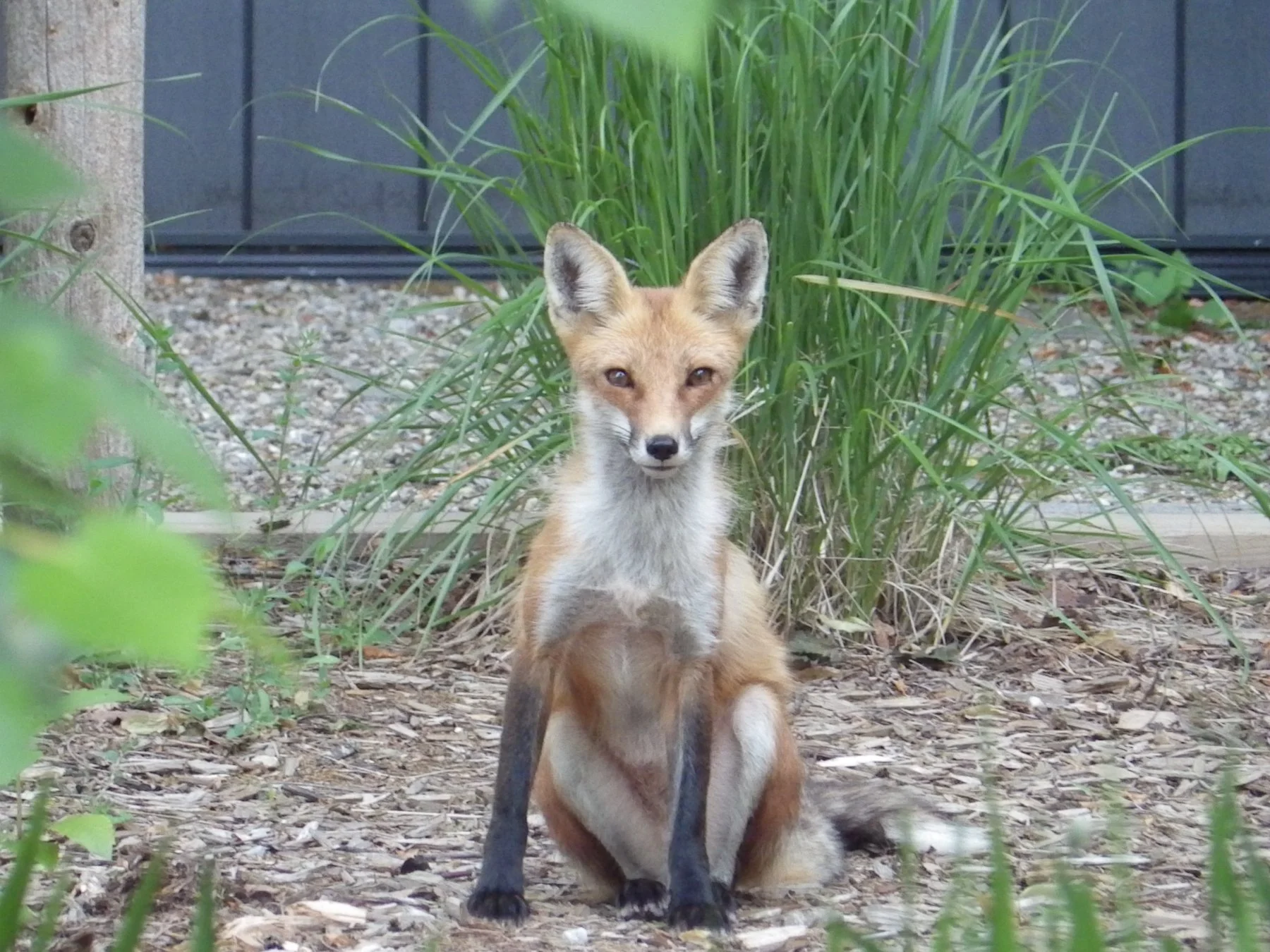
This young fox was a regular in our woodland/wildlife garden for a period of time. This before picture represents a good documentary photo of the little guy but includes many distracting elements and the lighting is a little bland. Luminar Neo’s powerful post processing tools offer significant improvements to the original image. In the image below, a softer background and warmer, direct light on the fox improves the image immensely, in my opinion.

The image after post processing with Luminar Neo’s light and bokeh modules. Notice the out-of-focus background as well as the warmer light on the fox.

This After picture of blue jays at the feeder is improved by softening the background bokeh helping the birds stand out better from the background. (see image below)

Although the differences in the two images may not seem obvious, the background in the image above creates a much more pleasing image and one that looks like it was photographed with a much longer and much more expensive (faster) lens.
The above images illustrate how Luminar Neo’s new bokeh module can improve nature images by creating much more pleasing backgrounds that allow the main subjects to stand out. These are important features in nature, flower and wildlife images, but they are also critical in other forms of photography from street photographs to travel and especially portrait images.
In fact, Luminar Neo chose to locate their bokeh module in their portrait tools where they thought it would be most useful. So, for those looking to improve their people pictures – whether that is professional work or just shots of your kids or family on vacation – Luminar Neos new bokeh module is certainly worth further investigation.
For people shooters (not my specialty) Luminar Neo has actually unveiled many new interesting modules to enhance your portraits.
Earlier this month Luminar Neo rolled out its new upgrade focused on portrait photography on both desktop and mobile. The mobile update inclues the Bokeh AI module discussed above along with new Face AI features such as Face Light and Face Slim. In addition, Blemish Removal has been significantly enhanced.
Desktop updates include Bokeh AI discussed above for nature and garden images, In addition, with Face AI users can control Dark Circles under eyes with an improved tool that is simple to use, as well as expanded capabilities for Face Skin smoothing, Body Smoothing and Shine Removal and a brand new Blemish Removal tool.
The is also a new Mask Feather feature that softens mask edges for smoother blending.
If you are interested in purchasing Luminar Neo (which offers a one-time purchase model rather than paying monthly) please consider using my discount code here.
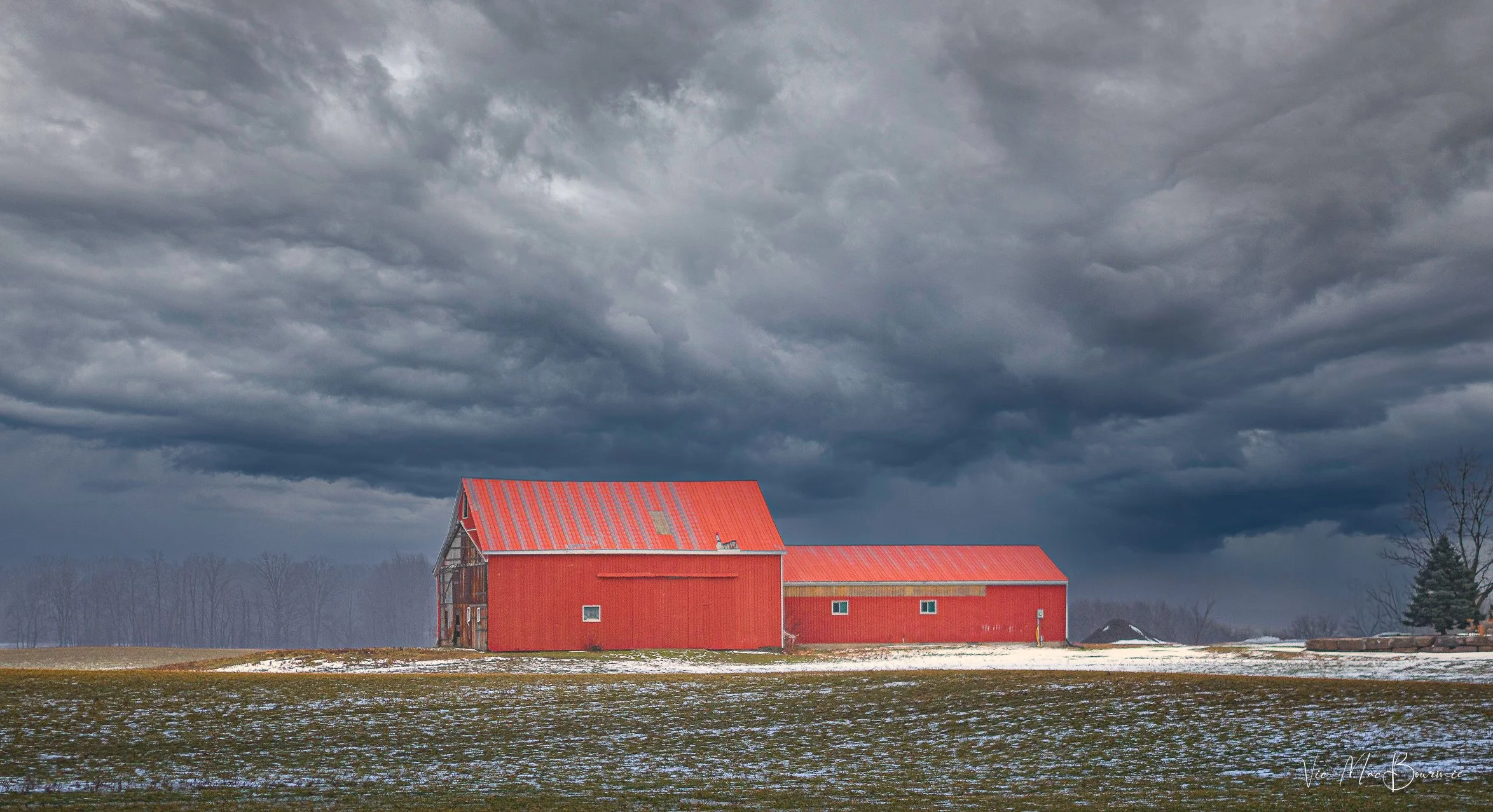
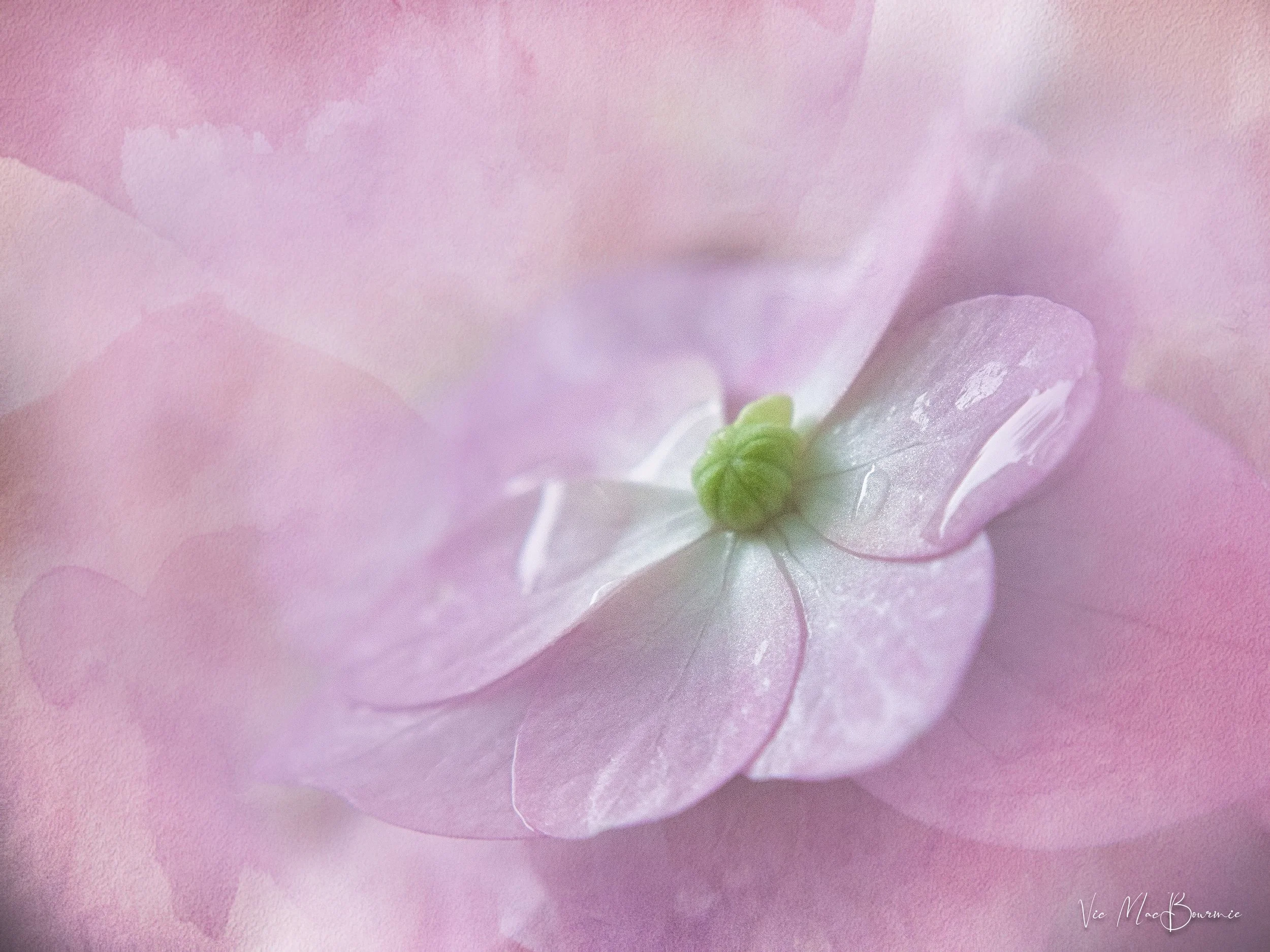




Looking to take your garden and wildlife images, even your family portraits to new heights but don’t want to buy expensive equipment? This post is for.