Luminar Neo’s AI module shines as an educational assistant
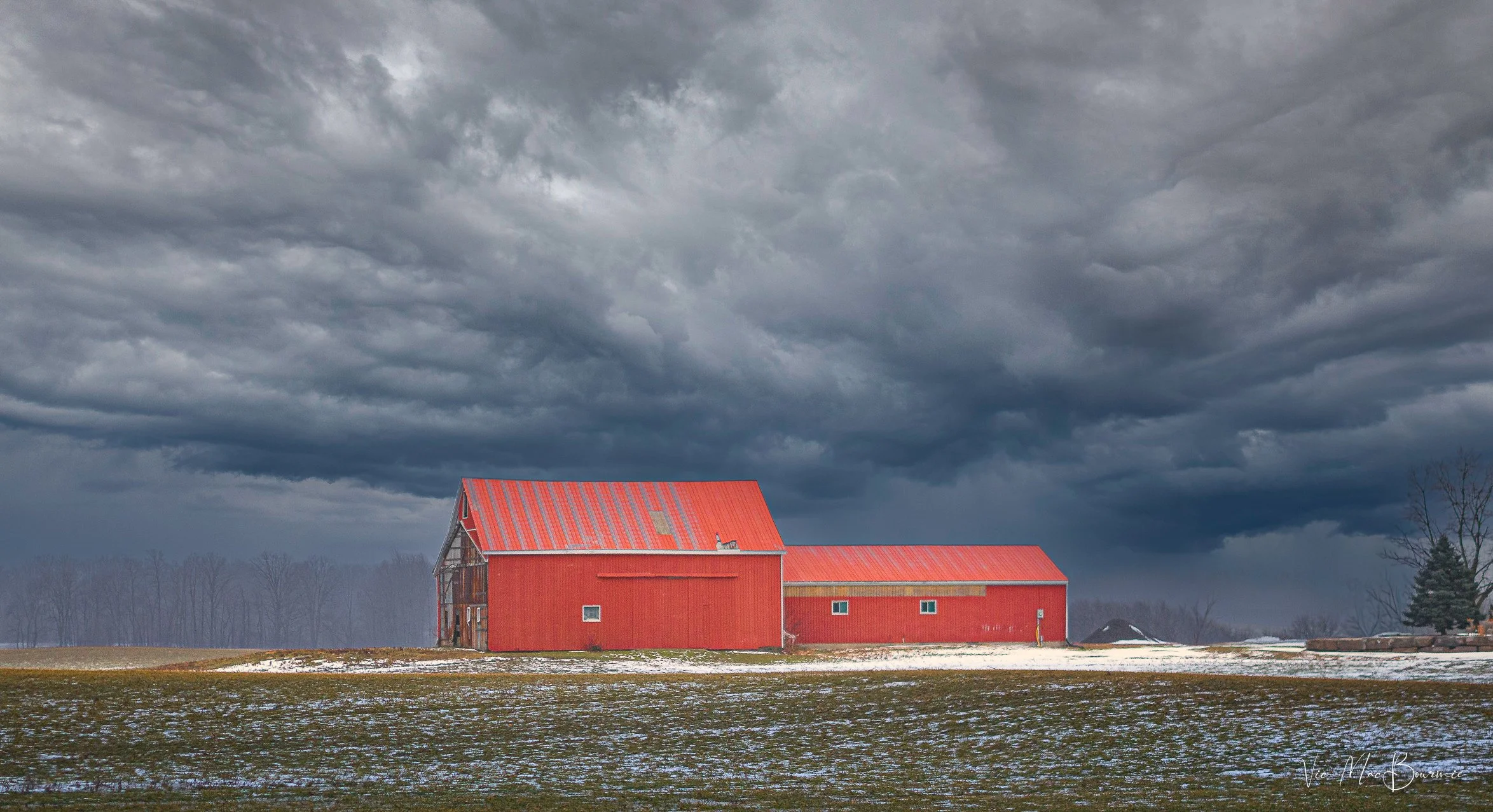
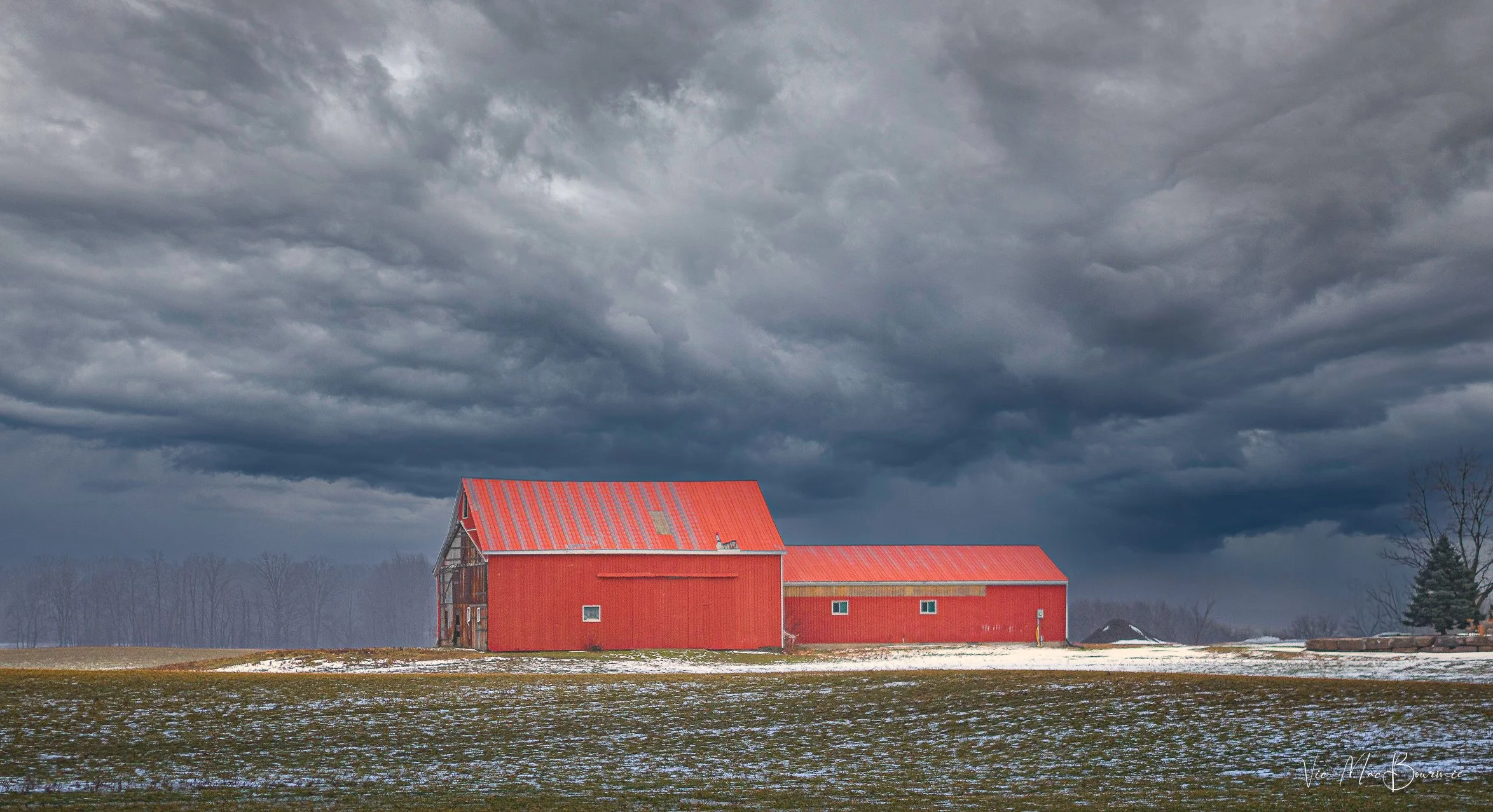
This image of red barns lit up dramatically against a stormy sky was created with a number of post processing modules. It’s important to note that the above image was NOT made with Luminar Neo’s new Ai module. In fact, an attempt to replicate it with the AI module proved fruitless. However, it’s equally important to know that the educational resources Luminar Neo’s new AI tool provides photographers – especially beginners – will help give them the knowledge they need to transform their images and create images like the one above from the original pictured below. The creators of Luminar Neo’s AI assistant believe that It is more valuable to know how to properly edit and create images than expect the computer to do all the work.
Using Ai as a learning tool
Whatever you think of Ai, there’s no denying that it is here to stay. The question many are asking is: Will AI be used for good, or for evil?
The answer to that question is still being written. Luminar Neo, however – unlike many other photo processing programs – is putting its support on the side of good.
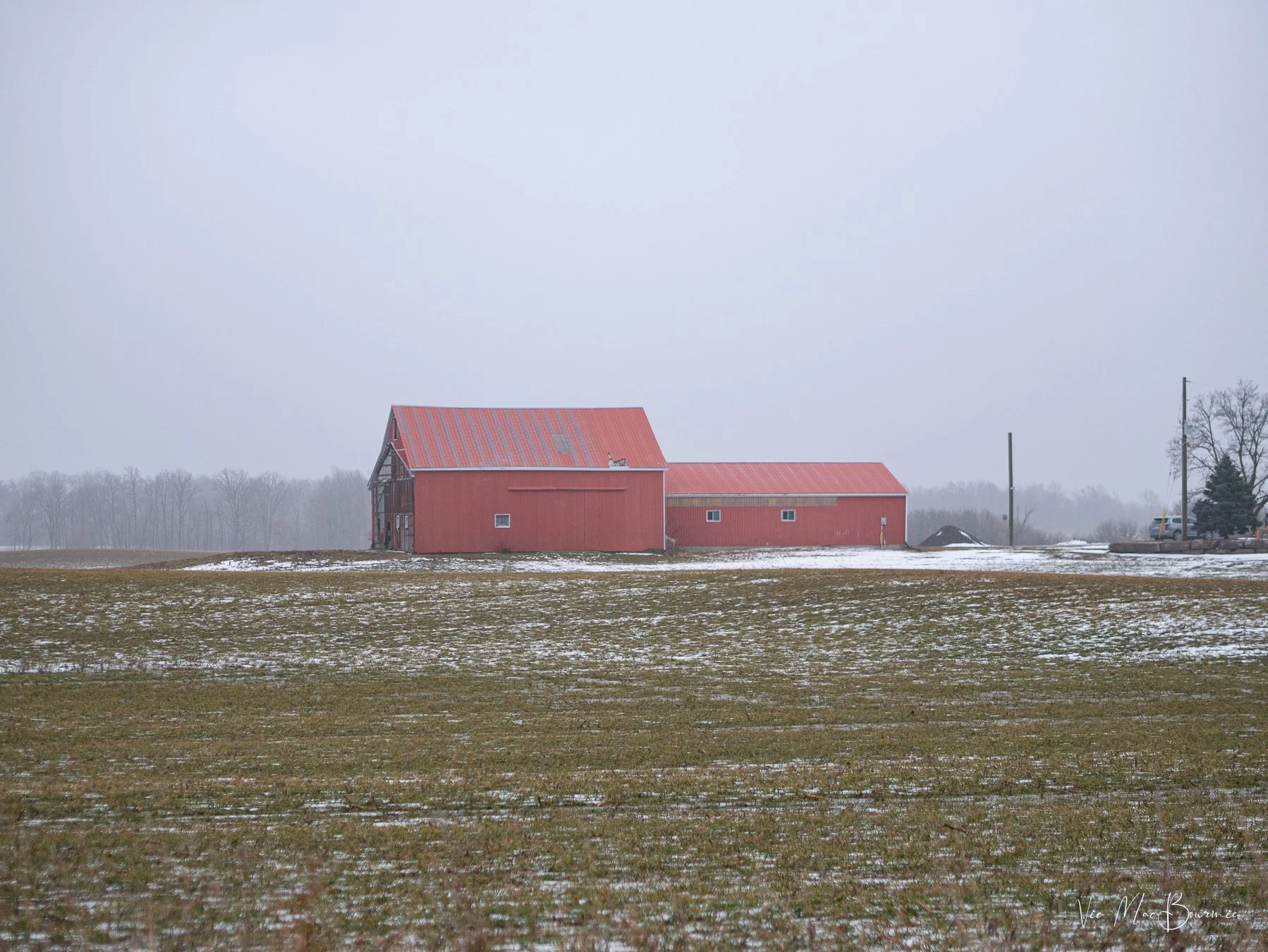
The original image straight out of camera shows distracting elements, a bland sky and uninteresting lighting.
To be more precise, Luminar Neo is tapping into the power of AI to use it as more of an educational and learning tool, than one to dramatically manipulate images.
At least that is my initial impression after putting it to the test with a number of my images. The focus seems to be at least as much about education as it is about transforming images.
Understanding the capabilities of modern photo editing programs and techniques has never been more important.
After all, getting the most out of our images, whether they are from our latest vacation, pictures of our kids, grandchildren or flowers in our garden, is the goal for most of us.
The before and after pictures of the red barns are examples of how, with a little knowledge, we can transform boring images into dramatic ones simply by understanding a little about post processing techniques.
So how does Luminar Neo’s AI assistant help us achieve similar results?
The image below shows one of three suggested edits from the Luminar Neo AI assistant module. The image is much better than the original, but falls short in comparison to the full edited version at the top of the page.
Over time, however, we the AI assistant teaches us how to achieve desired results by explaining what tools were used and making suggestions on how the image can be improved.
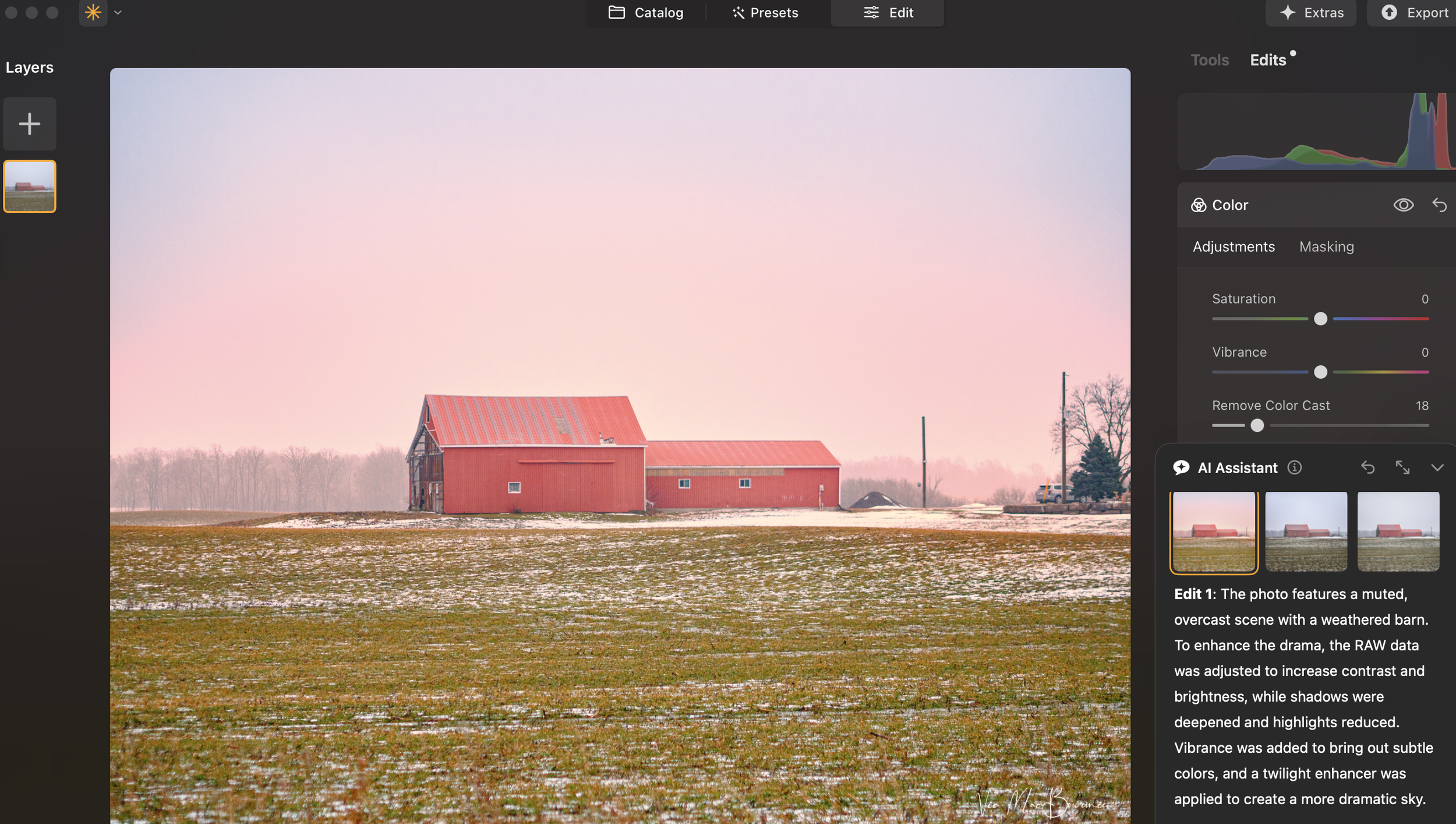
The above image is one of three suggestions Luminar Neo’s AI assistant suggested. You can see the suggestions and a detailed analysis of the above image in the Edit 1 description. You can also see that the suggested improvements are still rather subtle compared to the top image. Similar analysis are provided for Edit 2 and Edit 3.
How it works
Luminar Neo’s AI Assistant is available in both the Presets and Edit tabs and users can simply input text prompts to get AI Assistant’s editing suggestions.
There are two types of prompts.
Action prompts, like “Enhance this photo,” provide tailored recommendations with three adjustment sets and live previews, while How-to prompts, like “How do I remove this object?,” offer step-by-step guidance and buttons to quickly find the right tools in Luminar Neo.
It’s like having a personal editing advisor at your fingertips, helping you explore creative possibilities and discover the best tools and workflow for every image. You can use text commands in all Luminar Neo languages.
Back to our discussion about using AI in our work flow.
Knowledge about the tools available helped me create the top image. The original image’s sky was replaced and dramatic lighting was added in Luminar Neo’s Light Depth module.
“For the beginning photographer who has not yet perfected the art of post processing, this AI module is a tool that promises to transform their images over time and equip them with the knowledge they need to “make” outstanding images.”
In the past, we took pictures, today we make images
In photography, we often talk about “making” images rather than simply taking them. In the past, that most often was referring to “making” images in-camera during the analogue era of photography. Making images today with modern post processing can be taken a step further to include anything from minor enhancements to the photograph and removing distractions, to completely changing the image by adding elements not in the original image.
I’m not here to debate the validity of the different “levels” of enhancement, except to say that every photographer has to define the line they are not willing to cross. If you take a photojournalist approach to your photography, only minor enhancements are appropriate. If, however, photography is more a creative outlet for you, the same restrictions would not apply.
Important note: If you are looking to dramatically transform your images using ai, chances are you are not going to find those capabilities in this version of Luminar Neo’s AI module.
What you will find, however, is the ability to make positive, yet more subtle, changes to your images, while at the same time getting a thorough education on, not only what the program is doing to the image, but how the photographer can take control of the post processing and add their own creative effects using Luminar Neo’s wide range of creative modules.
For the beginning photographer who has not yet perfected the art of post processing, this Ai module is a tool that promises to transform their images over time and equip them with the knowledge they need to “make” outstanding images.
It might be the best use of Ai in any photographic post processing program. Understanding how to use post processing tools is much more important than just telling your computer to do the work. Luminar Neo does exactly that by adding three informative text-based explanations of changes it suggests for the particular image.
How to choose
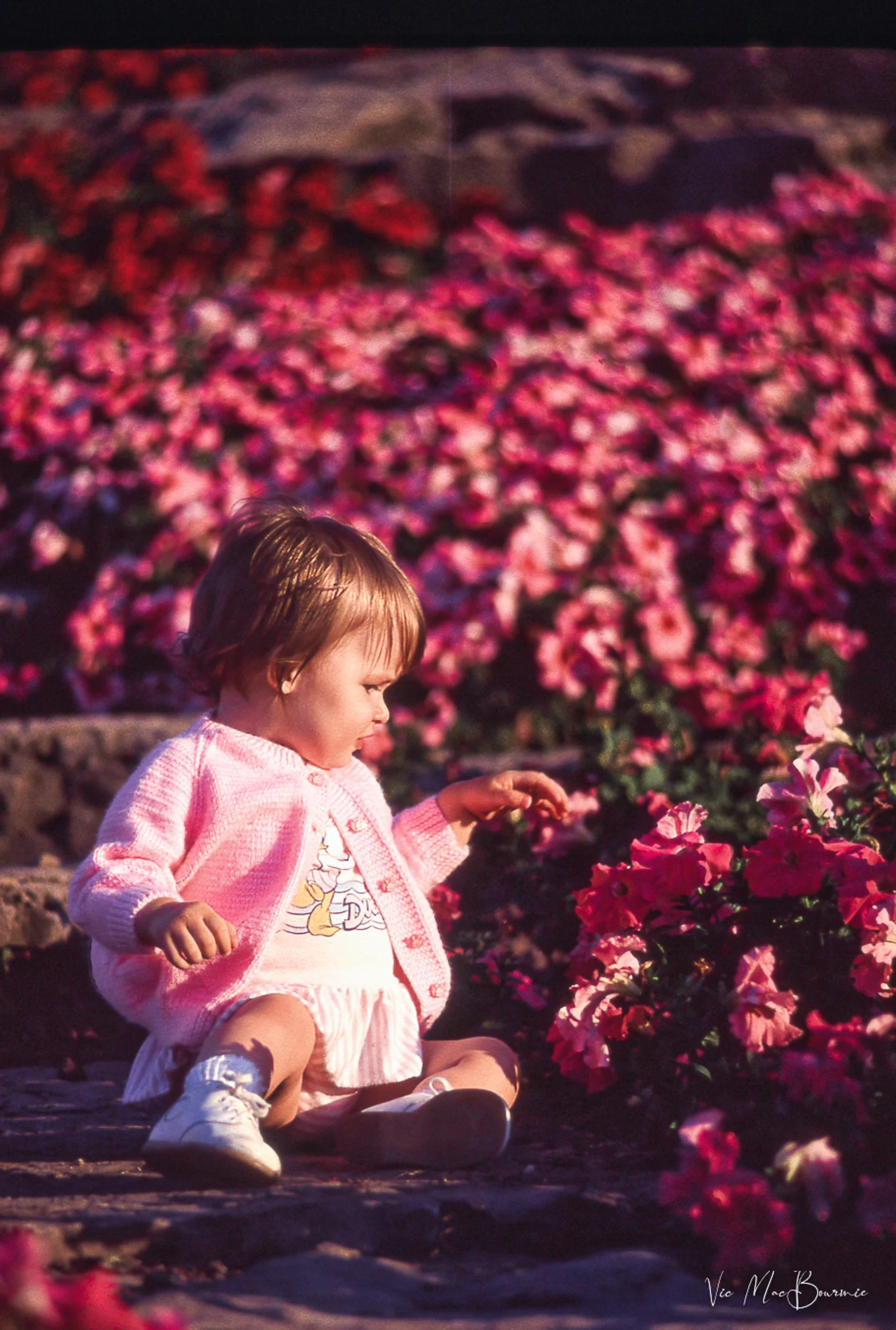
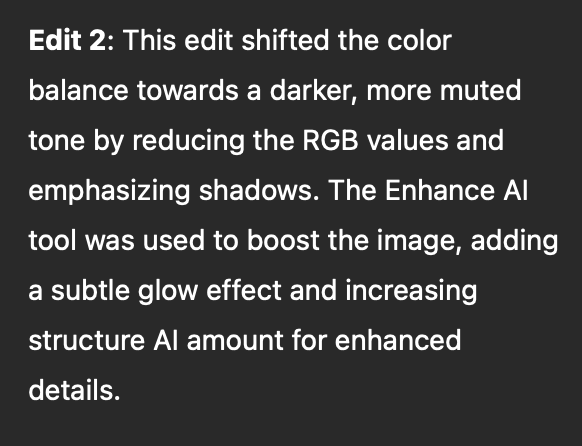
This image is the result of rather subtle changes made in Luminar Neo’s new ai module. See edit 2 for the list of enhancements added to the image by the ai module.
A good illustration is this image of a baby picking flowers at a local garden.
Once the Ai module is opened in Luminar Neo, the photographer is faced with two questions: 1) Typing in a command to enhance the image; or, asking the ai module how to use the tools available in Luminar Neo to make changes to the photograph.
The first suggested prompt is a simple one and a good starting point: “Enhance this image.”
If you choose this prompt, the program goes into action generating three different suggestions to enhance the image.
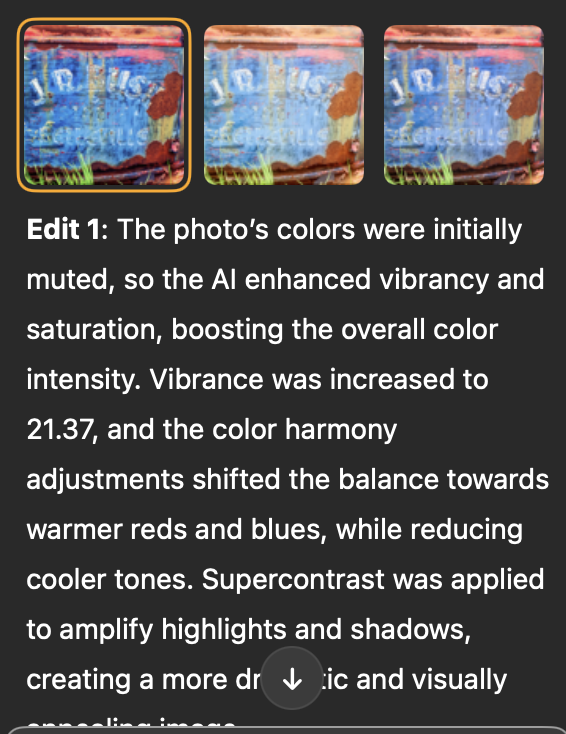
For this image the suggestions range from boosting the highlights and shadows and adding more golden light, to increasing depth of field and making colour harmony adjustments.
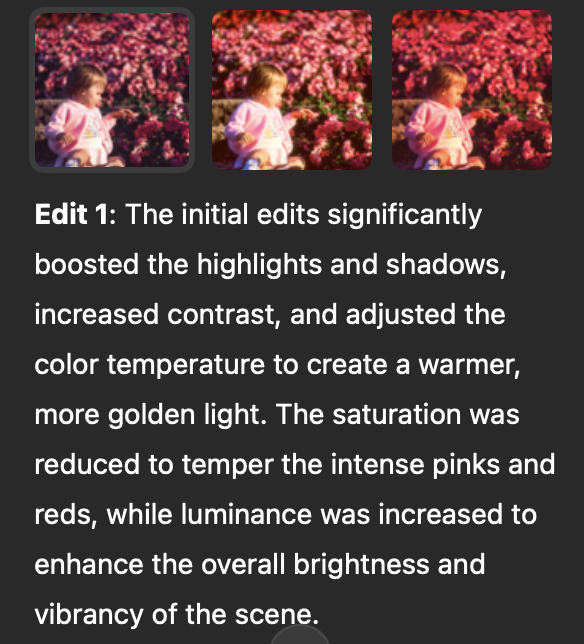
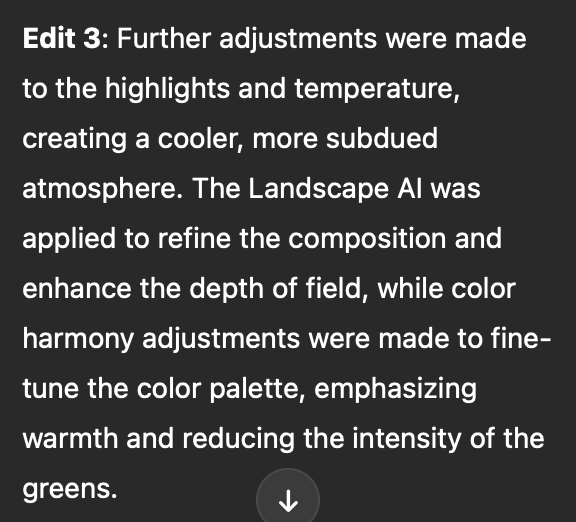
By explaining the enhancements, the beginner photographer gets an understanding of what is being done to improve the image and can take that knowledge to use with their other images.
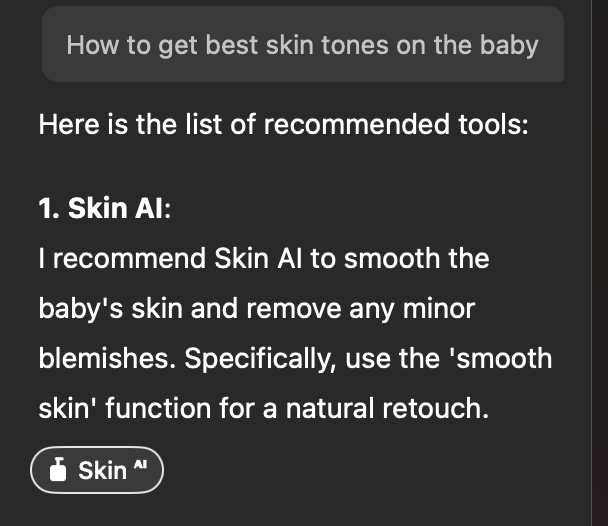
Here the ai program responds to my request on how to get the best skin tones on the baby.
Other simple commands that are available to users include changing the photograph to a B&W image.
More important are commands to teach the user how to change the image. Questions such as: how do I remove distracting elements in the image, or how do I improve the skin tones in the image?
The result is a list of suggestions the program makes to guide the user to the appropriate modules to make the changes themselves. The result, a better understanding of the capabilities of the program and how to use it to make the images you originally envisioned.
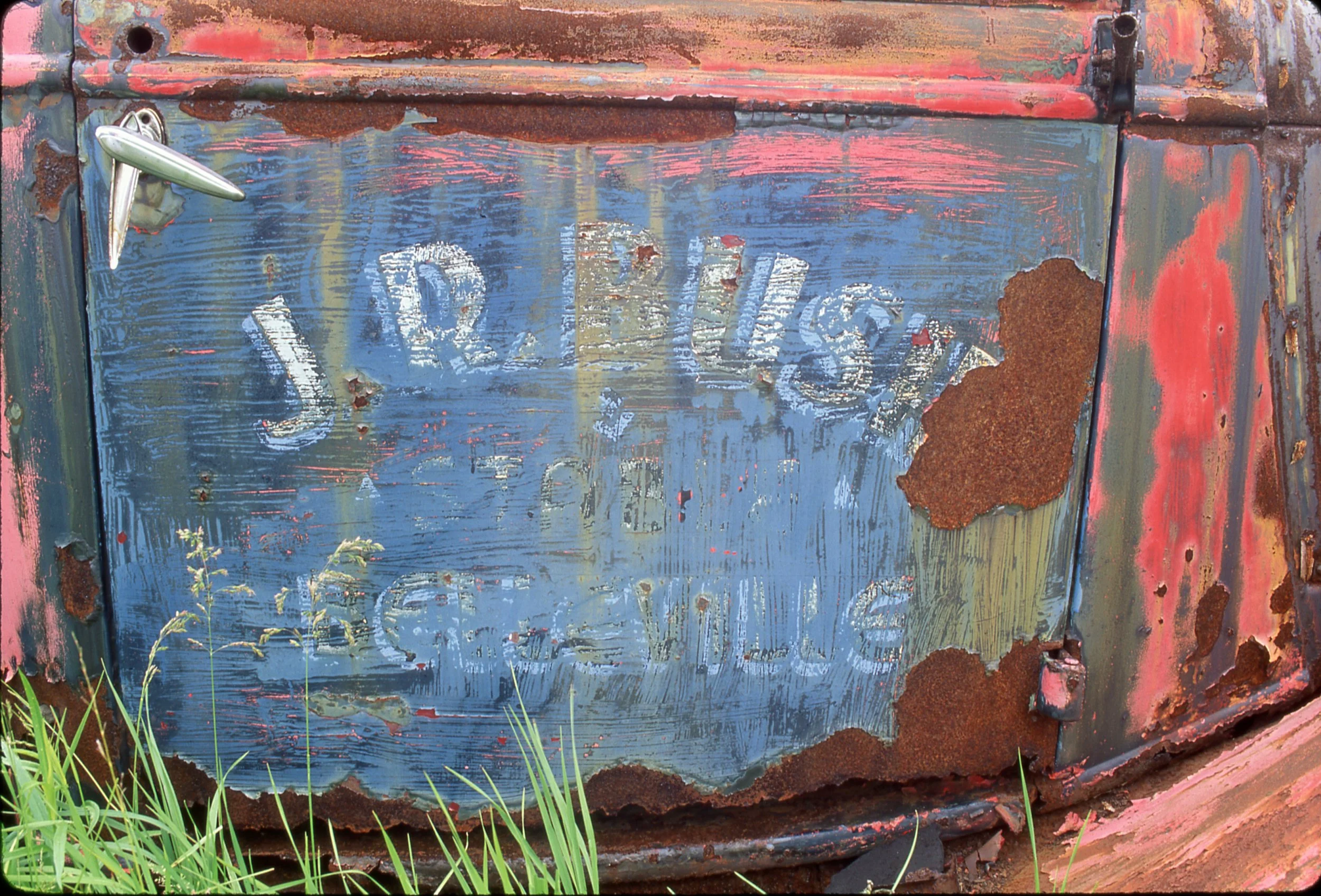
Here is an original image of a rusty car before asking Luminar Neo to enhance the photograph. Below is the result after asking Luminar Neo’s AI to enhance the image.
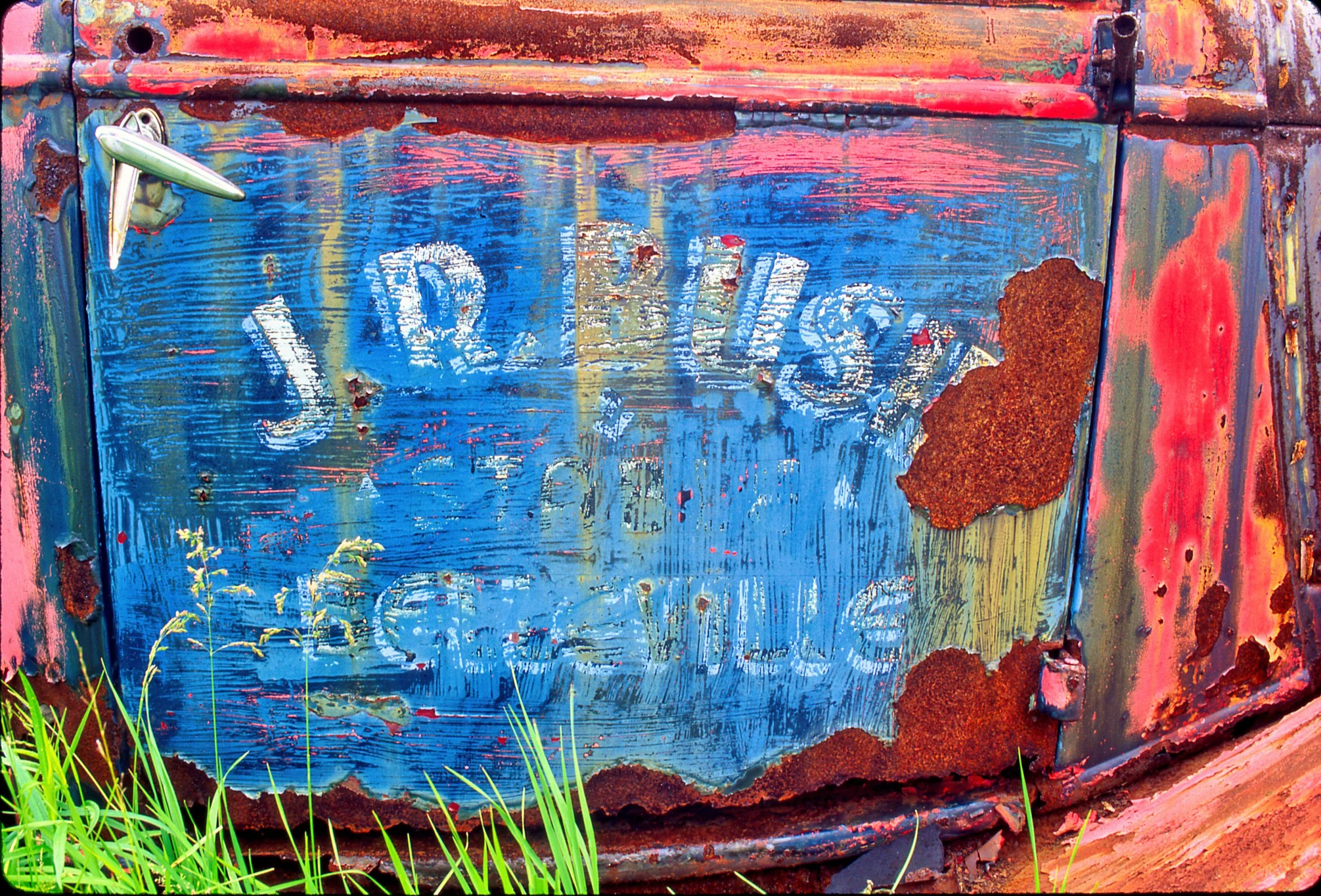
The enhanced version of the rusting car and the explanation (below) of what was done to the photograph.
Luminar Neo is continually improving their Ai features and will certainly further refine many of the features in their recently released AI module.
Meanwhile, beginner photographers have a built-in assistant to help them learn the intricacies of the program and expand their post processing knowledge with the end goal of creating images anyone would be proud to share with friends and family.
If you are interested in further exploring Luminar Neo and its features, please use my link here.


Looking to take your garden and wildlife images, even your family portraits to new heights but don’t want to buy expensive equipment? This post is for.